WordPress vs hPanel: Which One Should You Choose in 2026?
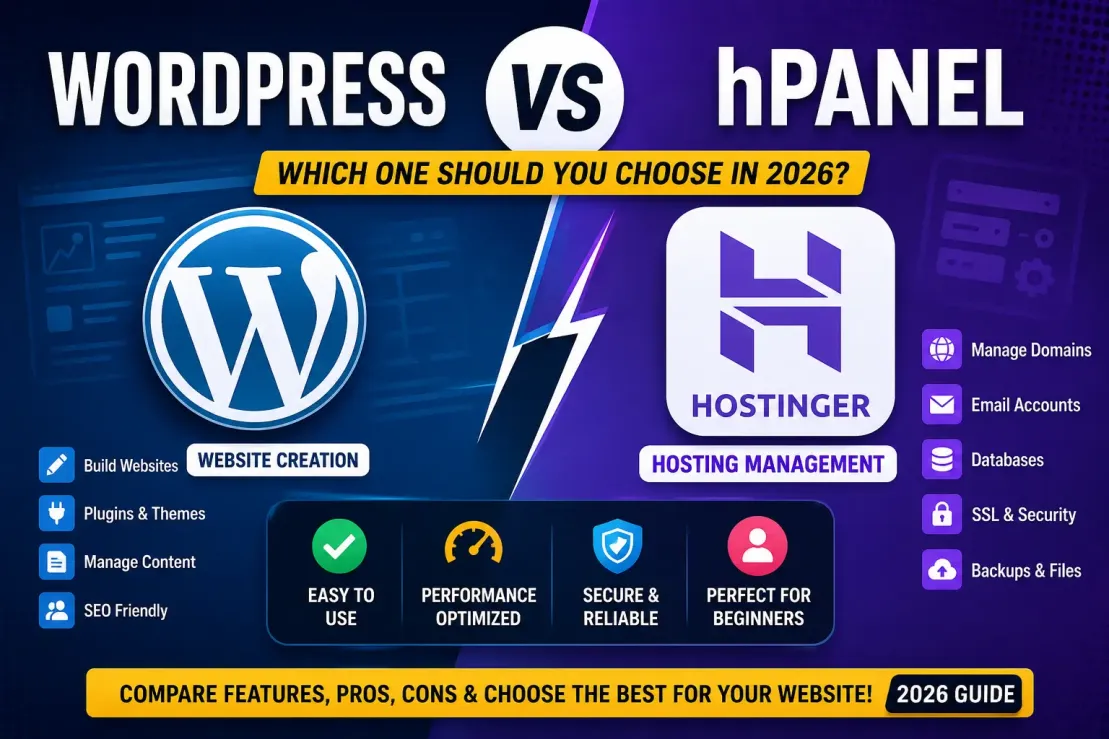
If you're planning to launch a website in 2026, you've probably come across two terms repeatedly: WordPress and hPanel. Many beginners mistakenly compare them as if they're competitors, but the truth is that WordPress and hPanel serve completely different purposes.
This confusion often leads new website owners to ask questions like:
- Should I use WordPress or hPanel?
- Which one is easier?
- Do I need both?
- Is WordPress better than Hostinger hPanel?
The simple answer is you usually use both together.
In this comprehensive guide, we'll explain the differences between WordPress and hPanel in simple language, compare their features, discuss their advantages and disadvantages, and help you decide which is right for your needs.
What is WordPress?
WordPress is the world's most popular Content Management System (CMS). It allows anyone to create websites, blogs, portfolios, business websites, online stores, and much more without writing code.
Today, millions of websites worldwide are powered by WordPress because it offers flexibility, ease of use, and thousands of customization options.
With WordPress, you can:
- Create blog posts
- Publish pages
- Install themes
- Add plugins
- Manage media files
- Create WooCommerce stores
- Optimize SEO
- Manage users
- Update content anytime
Think of WordPress as the engine of your website.
What is hPanel?
hPanel is Hostinger's custom-built hosting control panel.
Unlike WordPress, hPanel doesn't create your website.
Instead, it manages your hosting account and server-related settings.
Using hPanel, you can:
- Manage domains
- Upload website files
- Create email accounts
- Install WordPress
- Manage databases
- Backup websites
- Configure SSL certificates
- Access File Manager
- Monitor website performance
Think of hPanel as the control room of your hosting account.
WordPress vs hPanel: Understanding the Difference
Many beginners compare these two because both are accessible after purchasing hosting.
Get Extra 20% OFF
Launch your website today with ultra-fast, secure & premium hosting from Hostinger. Click to claim your deal!
However:
- WordPress manages your website content.
- hPanel manages your hosting environment.
They work together rather than replacing each other.
WordPress vs hPanel Comparison Table
| Feature | WordPress | hPanel |
|---|---|---|
| Purpose | Website creation & management | Hosting management |
| Developed By | WordPress Foundation | Hostinger |
| Used For | Blogs, business websites, eCommerce | Domains, databases, SSL, emails |
| Requires Hosting | Yes | Included with Hostinger hosting |
| Website Editing | Yes | No |
| Theme Installation | Yes | No |
| Plugin Support | Yes | No |
| File Management | Limited | Full File Manager |
| Database Management | Limited | Full MySQL Management |
| Email Accounts | No | Yes |
| SSL Management | No | Yes |
| Best For | Content creators | Server management |
How WordPress and hPanel Work Together
Imagine building a house.
- WordPress is the furniture, rooms, decorations, and interior.
- hPanel is the electricity, water supply, plumbing, and security system.
You cannot comfortably live without either.
A typical workflow looks like this:
- Purchase Hostinger hosting.
- Log into hPanel.
- Install WordPress with one click.
- Open WordPress Dashboard.
- Start designing your website.
ALSO READ: Best Cache plugins for wordpress 2026
Advantages of WordPress
1. Beginner Friendly
No coding knowledge is required.
You can launch your website within minutes.
2. Thousands of Themes
Choose from free and premium themes to completely customize your website.
3. Massive Plugin Library
Need SEO?
Need security?
Need forms?
Need eCommerce?
There's a plugin for almost everything.
Get Extra 20% OFF
Launch your website today with ultra-fast, secure & premium hosting from Hostinger. Click to claim your deal!
4. SEO Friendly
WordPress works perfectly with plugins like:
- Rank Math
- Yoast SEO
- All in One SEO
These make optimizing your website much easier.
5. Huge Community
Millions of users mean thousands of tutorials, YouTube videos, and forums are available whenever you need help.
Advantages of hPanel
Easy Interface
Hostinger designed hPanel specifically for beginners.
Everything is organized neatly.
One-Click WordPress Installation
Installing WordPress takes less than two minutes.
Free SSL
Secure your website without additional costs.
File Manager
Upload, edit, or delete website files directly from your browser.
Website Backups
Restore your website whenever necessary.
Email Management
Create professional email addresses such as:
Domain Management
Manage multiple domains from one dashboard.
Disadvantages of WordPress
- Requires regular updates.
- Plugins can conflict.
- Poor-quality themes may slow websites.
- Security depends on maintenance.
- Learning advanced customization takes time.
Disadvantages of hPanel
- Available only with Hostinger.
- Less customizable than cPanel.
- Some advanced server tools are limited.
- Not useful without hosting.
Which One is Easier?
For complete beginners:
WordPress is easier for building websites.
Get Extra 20% OFF
Launch your website today with ultra-fast, secure & premium hosting from Hostinger. Click to claim your deal!
hPanel is easier for managing hosting.
Since they serve different purposes, learning both is beneficial.
Do You Need Both?
Yes.
If you're using Hostinger hosting:
- You log into hPanel first.
- Install WordPress.
- Then manage your website using WordPress.
This is the workflow followed by millions of website owners worldwide.
When Should You Use WordPress?
Choose WordPress if you want to build:
- Personal blogs
- Business websites
- News portals
- Educational websites
- Portfolio websites
- Online stores
- Membership sites
- Course websites
When Should You Use hPanel?
Use hPanel whenever you need to:
- Install WordPress
- Upload website files
- Manage hosting
- Create emails
- Configure SSL
- Backup websites
- Access databases
- Manage domains
WordPress vs hPanel: Which is Better?
This question doesn't have a winner because they solve different problems.
If your goal is to create and manage a website, WordPress is the right choice.
If your goal is to manage hosting, domains, databases, SSL certificates, and server settings, hPanel is essential.
For Hostinger users, the best experience comes from using both together. You install and manage WordPress through hPanel, then build and maintain your website inside the WordPress dashboard.
Final Verdict for wordpress and hpanel users
Comparing WordPress and hPanel is similar to comparing a car with a garage. One helps you drive, while the other provides the space and tools to maintain it.
WordPress is the world's leading content management system that empowers you to create professional websites without coding. hPanel, on the other hand, is Hostinger's user-friendly hosting control panel that simplifies server management, domain configuration, backups, email setup, and WordPress installation.
If you're starting a blog, business website, portfolio, or eCommerce store in 2026, the ideal combination is Hostinger's hPanel for hosting management and WordPress for website creation. Together, they provide a powerful, beginner-friendly solution that can scale as your website grows.





💬 Comments (0)
🔒 Please login to post a comment.
Login Now