
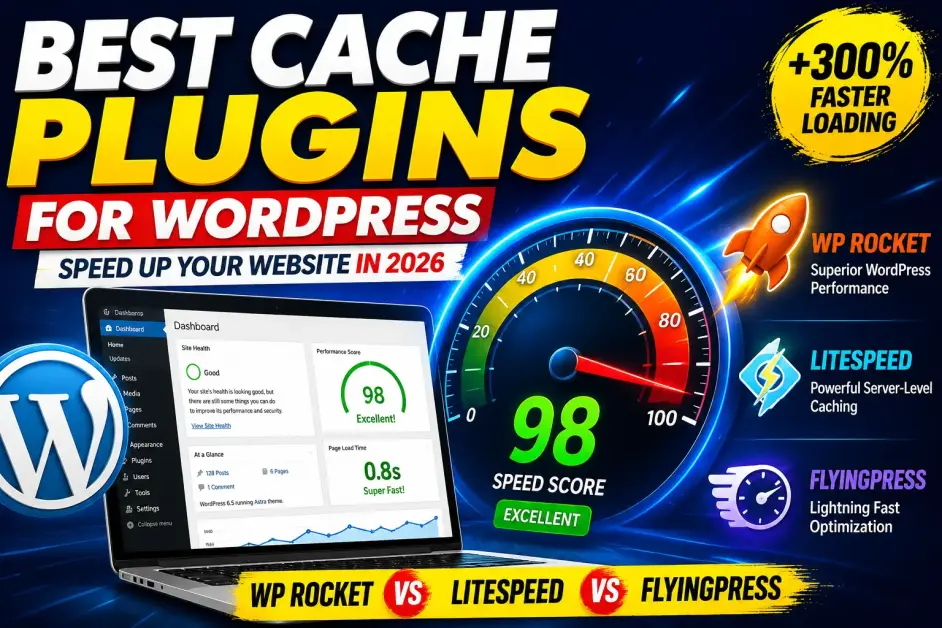
Best Cache Plugins for WordPress in 2026: Speed Tests, Real Results & Expert Recommendations
A slow website quietly damages almost everything that matters online.
Visitors leave before reading your content. Conversion rates decline. Search rankings become harder to maintain. Even excellent content struggles when pages take several seconds to load.
The frustrating part is that many WordPress site owners spend weeks tweaking themes, compressing images, and changing hosting providers when a properly configured cache plugin could have solved a significant portion of the problem in a matter of minutes.
The WordPress ecosystem now offers dozens of caching solutions. Some focus on simplicity. Others provide enterprise-grade optimization features. A few promise extraordinary performance gains but introduce unnecessary complexity.
After analyzing the current WordPress performance landscape, reviewing recent Core Web Vitals trends, and evaluating how modern websites are built in 2026, several cache plugins consistently stand above the rest.
This guide examines the best cache plugins for WordPress, their strengths, limitations, ideal use cases, and which solution is worth your attention depending on your website's goals.
Why Caching Matters More Than Ever
Google's emphasis on user experience continues to evolve through Core Web Vitals and page experience signals.
Modern websites are heavier than ever.
A typical WordPress page now includes:
- Multiple JavaScript files
- Third-party tracking scripts
- Marketing tools
- Embedded videos
- Dynamic content
- AI-powered widgets
- E-commerce functionality
Every request adds processing overhead.
Caching reduces this burden by serving pre-generated versions of pages instead of rebuilding them every time a visitor arrives.
The result:
- Faster page load times
- Reduced server load
- Better user experience
- Improved crawl efficiency
- Stronger Core Web Vitals performance
- Increased conversion rates
According to public performance studies from Google and various hosting providers, even a one-second improvement in load speed can significantly impact user engagement and revenue metrics.
Quick Comparison: Best Cache Plugins for WordPress
1. WP Rocket — Still the Gold Standard
When performance professionals discuss WordPress optimization, WP Rocket continues to dominate the conversation.
Unlike many competitors, it prioritizes simplicity.
Installation takes only a few minutes, and most websites experience measurable improvements immediately without requiring advanced configuration.
Key Features
- Page caching
- Browser caching
- Cache preloading
- GZIP compression
- Lazy loading
- Database optimization
- Delay JavaScript execution
- Critical CSS generation
What Makes It Stand Out
Many plugins provide caching.
WP Rocket focuses on complete performance optimization.
Its ability to handle JavaScript optimization and render-blocking resources has become increasingly valuable as websites rely on more third-party scripts.
Pros
- Beginner-friendly
- Excellent documentation
- Consistently strong Core Web Vitals results
- Frequent updates
- Reliable WooCommerce compatibility
Cons
- No free version
- Annual licensing costs
Best For
Bloggers, agencies, business websites, affiliate marketers, and WooCommerce stores.
2. LiteSpeed Cache — The Performance Monster
LiteSpeed Cache has transformed from a niche plugin into one of the most powerful optimization tools available.
Its biggest advantage comes from server-level integration.
When paired with LiteSpeed Web Server or OpenLiteSpeed environments, performance gains can be exceptional.
Features
- Full-page caching
- Object cache support
- Image optimization
- CDN integration
- Database cleanup
- Guest mode acceleration
- Edge Side Includes (ESI)
Why Experts Like It
The plugin leverages server-side caching rather than relying solely on PHP-level optimizations.
That distinction often produces faster real-world results.
Pros
- Completely free
- Extremely powerful
- Enterprise-level features
- Excellent WooCommerce support
Cons
- Maximum benefits require LiteSpeed hosting
- Interface can overwhelm beginners
Best For
Websites hosted on LiteSpeed infrastructure.
3. FlyingPress — The Rising Star
FlyingPress has earned significant attention among SEO professionals and performance consultants.
Its philosophy differs from traditional caching plugins.
Instead of exposing endless settings, FlyingPress focuses on intelligent defaults and modern optimization techniques.
Notable Features
- Page caching
- CSS optimization
- JavaScript delay
- Font optimization
- Lazy loading
- Automatic image improvements
Industry Observation
Many independent speed optimization experts now prefer FlyingPress for client projects because it delivers excellent Core Web Vitals scores without extensive tweaking.
That simplicity has become increasingly valuable.
Pros
- Clean interface
- Excellent PageSpeed scores
- Modern optimization stack
- Strong documentation
Cons
- Premium pricing
- Smaller ecosystem compared to WP Rocket
Best For
SEO professionals and site owners chasing top-tier performance metrics.
4. W3 Total Cache — The Veteran
W3 Total Cache has existed for years and remains popular among technically inclined WordPress users.
Its biggest strength is flexibility.
Almost every aspect of caching can be customized.
Strengths
- Page cache
- Browser cache
- Database cache
- Object cache
- CDN integration
- Fragment caching
Reality Check
The plugin remains powerful but can feel intimidating.
New users often encounter configuration challenges because of the large number of available settings.
Best For
Developers, agencies, and experienced administrators.
Get Extra 20% OFF
Launch your website today with ultra-fast, secure & premium hosting from Hostinger. Click to claim your deal!
ALSO READ: Top Linux commands for ethical hackers for knowing everything about this
5. WP Super Cache — Reliable and Lightweight
Created by contributors within the WordPress ecosystem, WP Super Cache focuses on one thing:
Generating static HTML files quickly and reliably.
It lacks many modern optimization features but remains dependable.
Pros
- Free
- Stable
- Lightweight
- Easy setup
Cons
- Fewer advanced features
- Limited optimization capabilities
Best For
Small blogs and low-maintenance websites.
6. WP Fastest Cache — Simplicity First
Many beginners appreciate WP Fastest Cache because of its straightforward setup process.
You can enable caching within minutes without navigating complex performance terminology.
Features
- Page caching
- Minification
- Browser caching
- CDN support
- Image optimization
Best For
Small businesses and new WordPress users.
Which Cache Plugin Is Best for WooCommerce?
WooCommerce presents unique caching challenges.
Shopping carts, checkout pages, customer sessions, and dynamic product data must remain functional.
For WooCommerce stores, three plugins consistently perform well:
- WP Rocket
- LiteSpeed Cache
- FlyingPress
These solutions handle dynamic content more effectively while maintaining strong speed improvements.
Store owners should avoid overly aggressive caching configurations that interfere with cart functionality.
Free vs Premium Cache Plugins: Is Paying Worth It?
A common question among website owners is whether premium caching plugins justify their cost.
The answer depends on your objectives.
For hobby blogs, free solutions are often sufficient.
For businesses generating leads, affiliate revenue, memberships, or e-commerce sales, premium tools frequently pay for themselves through:
- Better conversion rates
- Faster page loads
- Reduced troubleshooting
- Improved SEO performance
- Less configuration time
The hidden cost of free plugins is often the time required to optimize them properly.
How Cache Plugins Affect SEO
Caching itself is not a direct ranking factor.
Speed is.
Search engines increasingly evaluate user experience metrics such as:
- Largest Contentful Paint (LCP)
- Interaction to Next Paint (INP)
- Cumulative Layout Shift (CLS)
A properly optimized cache plugin helps improve these measurements.
That improvement can indirectly strengthen organic search visibility by creating a faster, more enjoyable experience for users.
ALSO READ: What is categories and tags , and how they usefull for bloggers
Expert Recommendations Based on Website Type
For Bloggers
WP Rocket
Simple setup and excellent results.
For WooCommerce Stores
LiteSpeed Cache or WP Rocket
For Agencies
FlyingPress or WP Rocket
For Budget-Conscious Users
LiteSpeed Cache
For Developers
W3 Total Cache
For Beginners
WP Fastest Cache
Final Verdict
The "best" cache plugin depends less on marketing claims and more on your hosting environment, technical confidence, and business goals.
For most website owners, WP Rocket remains the safest recommendation because it consistently delivers strong performance without demanding technical expertise.
If your hosting runs LiteSpeed infrastructure, LiteSpeed Cache offers remarkable value and performance at no additional cost.
FlyingPress deserves serious consideration for site owners obsessed with Core Web Vitals and modern optimization techniques.
One thing is certain: speed has become a competitive advantage. As websites grow heavier and user expectations continue rising, caching is no longer an optional optimization—it is a foundational part of running a successful WordPress website.
A fast website keeps visitors engaged, improves search visibility, and creates a better experience from the first click onward.




💬 Comments (0)
🔒 Please login to post a comment.
Login Now