
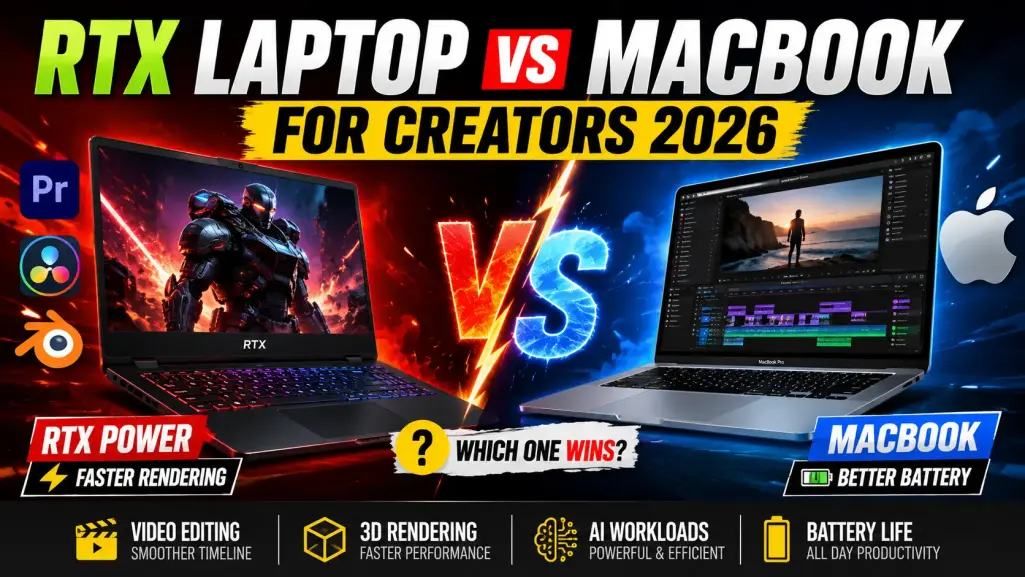
There is a specific, quiet anxiety that happens when you hit ‘Export’ on a massive project. For the next few minutes—or hours—your computer takes over, and you are entirely at its mercy. Your fans might spin up like a commercial jet, your battery might plummet, or, ideally, the machine chews through the render silently while you move on to the next task.
If you are a digital creative, your laptop is your livelihood. It dictates your workflow speed, your physical mobility, and your patience. For the better part of a decade, the choice was mostly about operating system preference. But the landscape fractured completely when Apple transitioned to its own silicon, and Nvidia aggressively expanded its CUDA and Tensor core capabilities.
Now, the divide between an RTX-equipped Windows machine and an M-series MacBook Pro isn't just about macOS versus Windows. It is a fundamental difference in hardware philosophy, rendering architecture, and power management.
Let’s strip away the spec-sheet marketing and look at what actually happens when you push these machines to their limits in Premiere, Blender, Unreal Engine, and DaVinci Resolve.
lets Begin RTX Laptop vs MacBook for Creators Comparison
Personal Experience{ I also have ASUS TUF A15 (2025), AMD Ryzen 7 7445HS,RTX 3050-4GB,75W TGP,16GB DDR5, overall experience very very smooth either for gamin , coding, blogs writing, or any thing daily work} go for it.
The Apple Silicon Philosophy: Efficiency and Unified Memory
When Apple introduced the M1 (and subsequently the M2 and M3 families), they fundamentally altered what we expect from a mobile workstation. The architecture relies on an SoC (System on a Chip) design featuring Unified Memory.
What Unified Memory Actually Feels Like
On a traditional Windows laptop, your CPU and your dedicated Nvidia GPU have their own separate pools of memory. If the GPU runs out of VRAM while rendering a heavy After Effects composition, the system panics, stutters, or crashes.
Apple’s Unified Memory means the GPU can dynamically access the entire pool of system RAM. If you buy a MacBook Pro with 64GB of unified memory, your graphics cores essentially have access to 64GB of VRAM. For creators working with massive 8K raw video files or complex CAD assemblies, this is incredibly liberating. You rarely hit the aggressive memory bottleneck that plagues mid-tier Windows laptops.
ALSO READ: Amazons most wishlisted gadgets in 2026
The Video Editor’s Dream
If your primary job involves pushing pixels on a timeline—specifically in Final Cut Pro, Premiere Pro, or DaVinci Resolve—the MacBook Pro is difficult to beat. Apple integrates dedicated hardware encode and decode engines for ProRes, H.264, and HEVC.
Scrubbing through 4K 10-bit footage on a battery-powered MacBook Pro is buttery smooth. That detail is critical: on battery.
Complete Comparison B/w RTX laptop and MacBooks
| Feature | RTX Laptop | MacBook |
|---|---|---|
| Operating System | Windows | macOS |
| Video Editing Performance | Excellent | Excellent |
| Adobe Premiere Pro | Faster GPU Acceleration | Highly Optimized |
| Final Cut Pro | Not Available | Best Experience |
| DaVinci Resolve | Excellent | Excellent |
| 3D Rendering | Outstanding | Good to Excellent |
| Blender Performance | Superior | Good |
| AI Workloads | Excellent | Good |
| Machine Learning | Better GPU Support | Limited Compared to RTX |
| Gaming | Excellent | Limited |
| Battery Life | Average | Outstanding |
| Portability | Moderate | Excellent |
| Thermal Efficiency | Higher Heat Output | Better Efficiency |
| Fan Noise | More Noticeable | Generally Quieter |
| Display Quality | Varies by Model | Consistently Premium |
| Color Accuracy | Good to Excellent | Excellent |
| Software Compatibility | Wider Software Support | Optimized Creative Apps |
| Upgradeability | Often Upgradeable | Not Upgradeable |
| Price-to-Performance | Better Value | Premium Pricing |
| Multi-Monitor Support | Excellent | Excellent |
| GPU Performance | Superior | Good |
| CUDA Support | Yes | No |
| Ray Tracing | Yes | No |
| AI Image Generation | Faster | Slower |
| Local LLM Performance | Better with RTX GPUs | Limited |
| Motion Graphics | Excellent | Excellent |
| After Effects Performance | Better GPU Acceleration | Good |
| Content Creation Flexibility | Very High | High |
| Build Quality | Varies by Brand | Excellent |
| Resale Value | Moderate | Excellent |
| Student Friendly | Good | Very Good |
| Creator Friendly | Excellent | Excellent |
| Professional Video Editing | Excellent | Excellent |
| Best For | 3D, AI, Gaming, Rendering | Editing, Battery, Portability |
| Overall Winner for Power Users | ✅ RTX Laptop | — |
| Overall Winner for Mobility | — | ✅ MacBook |
| Use Case | Winner |
|---|---|
| Video Editing | Tie |
| 3D Rendering | RTX Laptop |
| AI Workloads | RTX Laptop |
| Gaming | RTX Laptop |
| Battery Life | MacBook |
| Portability | MacBook |
| Final Cut Pro Users | MacBook |
| Adobe Premiere Pro Users | RTX Laptop |
| Best Value for Money | RTX Laptop |
| Best Travel Laptop | MacBook |
| Best Overall for Creators | Depends on Workflow |
The Nvidia RTX Reality: Brute Force and Ecosystem Dominance
If Apple’s approach is elegant efficiency, Nvidia’s approach is raw, unadulterated brute force. An RTX 4080 or 4090 laptop GPU paired with an Intel Core i9 or AMD Ryzen 9 processor is a terrifyingly powerful combination.
The Cult of CUDA
Here is the uncomfortable truth for Mac loyalists: the 3D and high-end motion graphics industries run on Nvidia.
CUDA (Compute Unified Device Architecture) is Nvidia’s proprietary parallel computing platform. Over the years, software developers for tools like Blender, Maya, Cinema 4D, and Unreal Engine have optimized their rendering engines specifically for CUDA and Nvidia’s OptiX ray-tracing technology.
If you attempt to render a heavy 3D scene in Blender using an M3 Max MacBook Pro, it will do it. But if you render that same scene on a Windows laptop with an RTX 4080, the RTX machine will often finish the job in less than half the time. The hardware-accelerated ray tracing on Nvidia cards is currently unmatched.
The AI Advantage
We also have to talk about artificial intelligence. Local AI generation is no longer a fringe hobby; it is becoming a mandatory part of the creator workflow. Whether you are running local instances of Stable Diffusion, training LoRAs, using Topaz Video AI to upscale archival footage, or running local LLMs, Nvidia’s Tensor cores dominate.
AI frameworks heavily favor Windows and Linux environments running Nvidia hardware. While Apple has made strides with its Neural Engine and tools like MLX, the broader open-source AI community builds for RTX first.
The Physical Realities: Portability vs. Power Cords
Performance metrics only tell half the story. The physical experience of living with these machines dictates your daily quality of life.
The RTX Tax: High-end Windows creator laptops (like the Asus ProArt Studiobook, Razer Blade, or Dell XPS) require serious thermal management. When you push an RTX GPU, the laptop gets physically hot, and the fans get loud. More importantly, to get maximum performance, an RTX laptop must be plugged into the wall. If you try to render an Unreal Engine environment on battery power, Windows aggressively throttles the GPU to save the battery, and you will watch your charge drain from 100% to zero in under an hour.
The Mac Advantage: A MacBook Pro delivers virtually the exact same performance on battery as it does plugged in. You can edit a 4K documentary on a cross-country flight without worrying about finding an outlet. Furthermore, the fans rarely spin up during standard video editing, making it a much more pleasant machine to use in quiet environments.
Feature Breakdown: RTX vs MacBook
The Cost of Admission
Let's address the pricing reality. Neither ecosystem is cheap, but they charge you in different ways.
Apple’s pricing structure is notorious for its RAM and storage upgrades. Bumping a MacBook Pro from 18GB of unified memory to 64GB, and adding a 2TB SSD, will inflate the price to eye-watering levels. Because nothing is socketed, you are forced to future-proof at checkout.
Windows laptops offer a bit more flexibility. You can often purchase an RTX 4070 or 4080 laptop with base RAM and storage, and manually upgrade them yourself for a fraction of the cost. However, you will likely replace that Windows laptop sooner than the Mac, as PC batteries degrade faster under the heavy thermal loads generated by Nvidia GPUs.
ALSO READ: Top picks laptop for students
Get Extra 20% OFF
Launch your website today with ultra-fast, secure & premium hosting from Hostinger. Click to claim your deal!
Pros and Cons for the Modern Creator
Apple MacBook Pro
The Good:
-
Astounding battery life and off-grid performance.
-
Dead silent operation for most 2D and video workflows.
-
Incredible display out of the box (Mini-LED, high color accuracy).
-
Massive memory pool for GPU tasks via Unified Memory.
The Bad:
-
Prohibitively expensive RAM and storage upgrades.
-
No CUDA support; 3D rendering times are longer.
-
Gaming is still an afterthought, limiting engine-based workflows.
Windows RTX Creator Laptops
The Good:
-
Unmatched 3D rendering and ray-tracing performance (OptiX).
-
The absolute best platform for local AI generation and toolsets.
-
Post-purchase upgradability (on most models).
-
Deep compatibility with niche legacy plugins and software.
The Bad:
-
Terrible battery life when doing actual creative work.
-
Must be plugged into a massive power brick to achieve peak performance.
-
Fan noise can be distracting during heavy loads.
Who Should Buy What?
The decision shouldn't be based on brand loyalty; it should be based on your specific software stack.
Buy the MacBook Pro if: You are primarily a video editor, colorist, 2D animator, or photographer. If your day is spent inside Premiere Pro, After Effects, Photoshop, Lightroom, or DaVinci Resolve, the Mac will give you a frictionless, quiet, and mobile experience. It is the ultimate machine for the nomadic creator.
Buy the RTX Windows Laptop if: You are a 3D artist, motion graphics designer heavily relying on third-party renderers (like Redshift or Octane), an Unreal Engine developer, or someone integrating local AI models into your workflow. If you use Blender daily, an RTX card isn't just a luxury; it is a fundamental requirement for maintaining your sanity and meeting your deadlines.
The Bottom Line
There is no universal "best" creator laptop anymore. We are well past the era where one machine dominated every metric.
The MacBook Pro has perfected the mobile experience. It lets you work anywhere, silently, with enough battery life to outlast your creative stamina. But it asks you to live entirely within Apple's walled garden and accept slower 3D rendering times.
The RTX laptop is a portable desktop replacement. It runs hot, loud, and demands proximity to a wall outlet, but in exchange, it gives you access to the bleeding edge of CUDA acceleration and artificial intelligence.
Choose the machine that removes friction from the tasks you do the most. If your bottleneck is timeline scrubbing and battery anxiety, go Mac. If your bottleneck is waiting for frames to render in a 3D viewport, go RTX. Your hardware should serve your ideas, not the other way around.






💬 Comments (0)
🔒 Please login to post a comment.
Login Now