
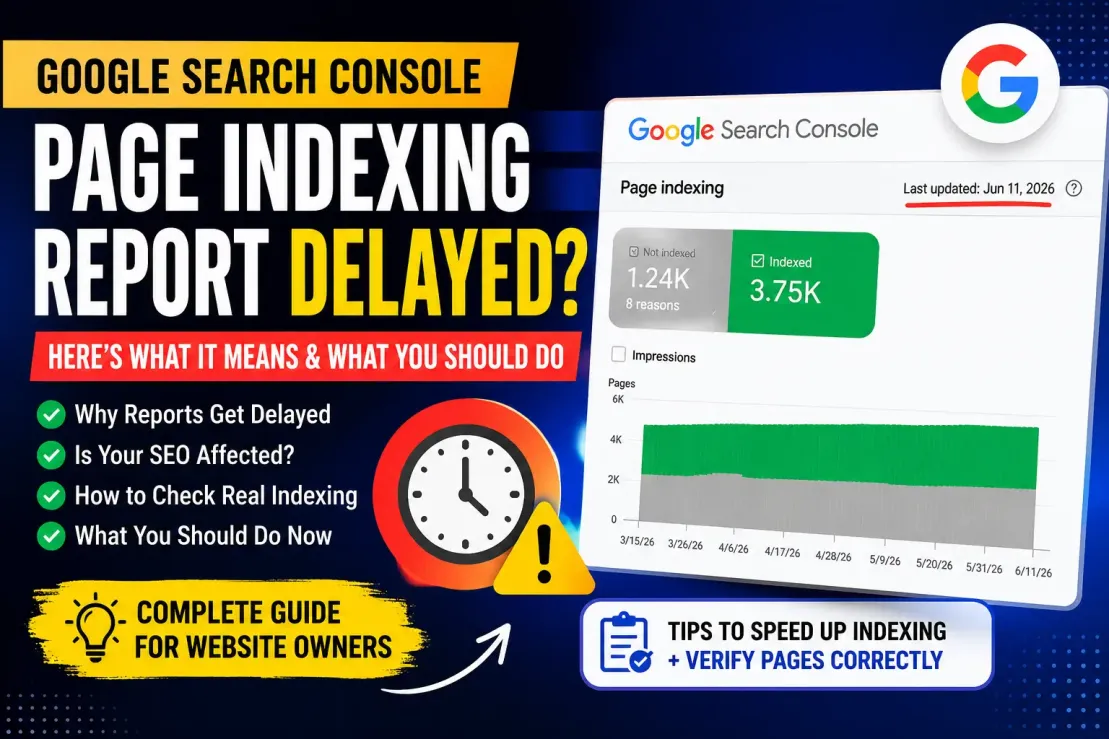
Google Search Console Page Indexing Report Delayed? Here's What It Means and What You Should Do
If you've recently opened Google Search Console and noticed that your Page Indexing report hasn't been updated for days or even weeks, don't panic. Many website owners immediately assume something is wrong with their website, sitemap, or SEO setup. In reality, the issue may have nothing to do with your website at all.
There are times when Google Search Console experiences reporting delays, meaning the indexing data shown inside the dashboard is older than the actual indexing status of your pages. For example, if the report displays "Last updated: June 11, 2026" even though today's date is much later, you're likely seeing one of these temporary delays.
The good news is that this doesn't necessarily mean Google has stopped crawling or indexing your website.
In this guide, we'll explain what a delayed Page Indexing report means, why it happens, and what actions you should take while waiting for Google to refresh the data.
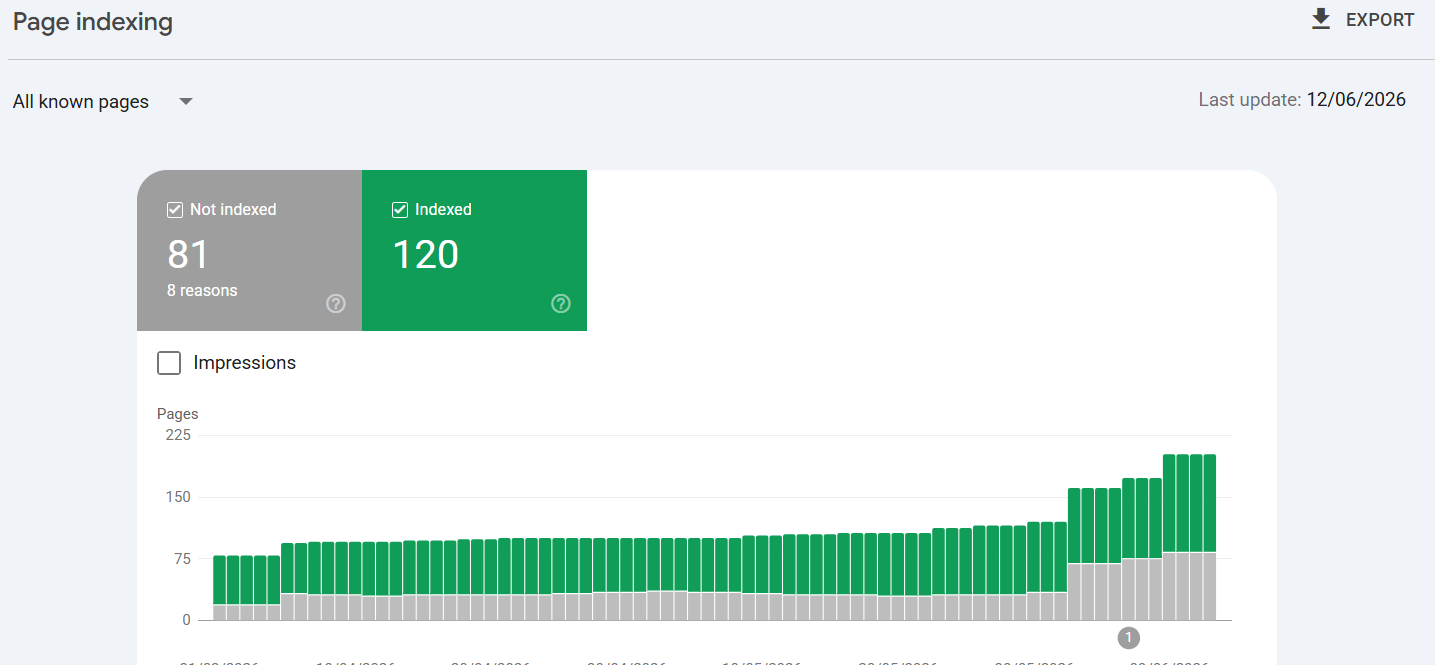 Latest update// since 12/06/2026 still no update till today 29-06-2026
What Is the Google Search Console Page Indexing Report?
The Page Indexing Report is one of the most useful sections inside Google Search Console. It provides an overview of how Google interacts with your website by showing which pages have been indexed and which pages are currently excluded.
Instead of checking every page individually, this report gives you a complete picture of your website's indexing health.
It helps answer questions like:
-
Which pages are appearing in Google's search results?
-
Which URLs have indexing problems?
-
Why are some pages excluded?
-
Has Google recently indexed new content?
For bloggers, businesses, publishers, and SEO professionals, this report is an essential tool for monitoring website performance.
What Does a Delayed Indexing Report Mean?
Sometimes Google Search Console displays a message indicating that the Page Indexing report hasn't been updated for several days or even weeks.
This simply means that the reporting system is behind schedule.
It does not automatically mean:
-
Your website has been deindexed.
-
Google has stopped crawling your pages.
-
Your SEO is broken.
-
Your sitemap has failed.
The reporting interface and Google's actual search index are two different systems. Google may continue crawling and indexing your pages even if Search Console hasn't refreshed the displayed data yet.
Get Extra 20% OFF
Launch your website today with ultra-fast, secure & premium hosting from Hostinger. Click to claim your deal!
Common Reasons Behind the Delay
Several factors can cause Google Search Console to show outdated indexing information.
| Possible Reason | Explanation |
|---|---|
| Reporting system delay | Search Console data is processed separately and may update later than expected. |
| High processing load | Large amounts of indexing data require additional processing time. |
| Infrastructure maintenance | Google occasionally performs backend maintenance that temporarily delays reports. |
| Temporary reporting issue | Search Console sometimes experiences bugs affecting report freshness. |
| Data synchronization | Indexing information may take time to synchronize across Google's systems. |
These situations are generally temporary and resolve without requiring any action from website owners.
Can Your Pages Still Be Indexed?
Yes.
This is one of the biggest misunderstandings among website owners.
Even if the Page Indexing report hasn't been updated recently, Google can still:
-
Discover new URLs
-
Crawl fresh content
-
Process sitemap submissions
-
Index eligible pages
-
Display them in search results
The dashboard simply may not reflect those updates immediately.
In other words, the report may be delayed while Google's indexing system continues working normally.
How to Verify Whether a Page Is Actually Indexed
Instead of relying only on the Page Indexing report, you can verify individual URLs using the URL Inspection Tool.
Simply paste the page URL into the inspection bar inside Google Search Console.
The tool will tell you:
-
Whether the page is indexed
-
When Google last crawled it
-
Whether indexing is allowed
-
Any crawl errors detected
-
Whether enhancements are applied
This provides much more accurate information for individual pages than waiting for the overall report to refresh.
Get Extra 20% OFF
Launch your website today with ultra-fast, secure & premium hosting from Hostinger. Click to claim your deal!
Should You Request Indexing Again?
Many website owners repeatedly click "Request Indexing" whenever they notice delayed reports.
In most situations, this isn't necessary.
Request indexing only when:
-
You've published a brand-new page.
-
You've made major content updates.
-
You fixed an indexing problem.
-
The page was previously unavailable.
Submitting the same page multiple times won't force Google to update Search Console faster.
What You Should Do During the Delay
Rather than worrying about the outdated report, focus on improving your website's SEO.
Here are some productive tasks you can complete:
-
Publish high-quality content regularly.
-
Improve internal linking.
-
Update older articles.
-
Check your sitemap for errors.
-
Remove broken links.
-
Improve Core Web Vitals.
-
Optimize page speed.
-
Fix duplicate content issues.
-
Ensure robots.txt isn't blocking important pages.
These improvements benefit your website regardless of temporary reporting delays.
ALSO READ: Why fresh content helps SEO Fast
Get Extra 20% OFF
Launch your website today with ultra-fast, secure & premium hosting from Hostinger. Click to claim your deal!
Don't Judge SEO Based on One Report
Many beginners make the mistake of assuming their rankings have dropped simply because the indexing report hasn't updated.
Remember:
Search Console is only one source of information.
You should also monitor:
-
Organic traffic
-
Search rankings
-
Crawl statistics
-
Server logs
-
Impressions and clicks
-
User engagement metrics
If your traffic remains stable and pages continue appearing in search results, there's usually no reason to panic.
How Long Can These Delays Last?
There is no fixed timeframe.
Sometimes reports refresh within a day or two.
In other situations, delays may continue for one or even two weeks before Google catches up.
Historically, Google has experienced similar reporting delays, and they were eventually resolved without website owners needing to make changes.
Patience is often the best approach.
Best Practices While Waiting
The following checklist can help ensure your website remains in good shape:
| Action | Recommended? |
|---|---|
| Submit XML Sitemap | ✅ Yes |
| Check URL Inspection Tool | ✅ Yes |
| Continue publishing content | ✅ Yes |
| Improve internal links | ✅ Yes |
| Monitor crawl errors | ✅ Yes |
| Spam repeated indexing requests | ❌ No |
| Panic because reports are delayed | ❌ No |
| Delete pages unnecessarily | ❌ No |
Final Recommendations for google users
A delayed Google Search Console Page Indexing Report can certainly be frustrating, especially if you've recently published important content or are monitoring SEO performance closely. However, an outdated report does not automatically indicate an indexing problem.
Google's reporting systems occasionally take longer to refresh, while the search engine itself continues crawling and indexing websites in the background.
Instead of worrying about the dashboard, use this time to strengthen your website by publishing valuable content, improving technical SEO, checking important URLs with the URL Inspection Tool, and maintaining a healthy site structure.
Once Google refreshes the reporting data, your indexing information will usually return to normal. Until then, avoid making unnecessary SEO changes based solely on an outdated report.
Consistent publishing, proper optimization, and patience remain the most effective strategy for long-term search visibility.






💬 Comments (0)
🔒 Please login to post a comment.
Login Now