
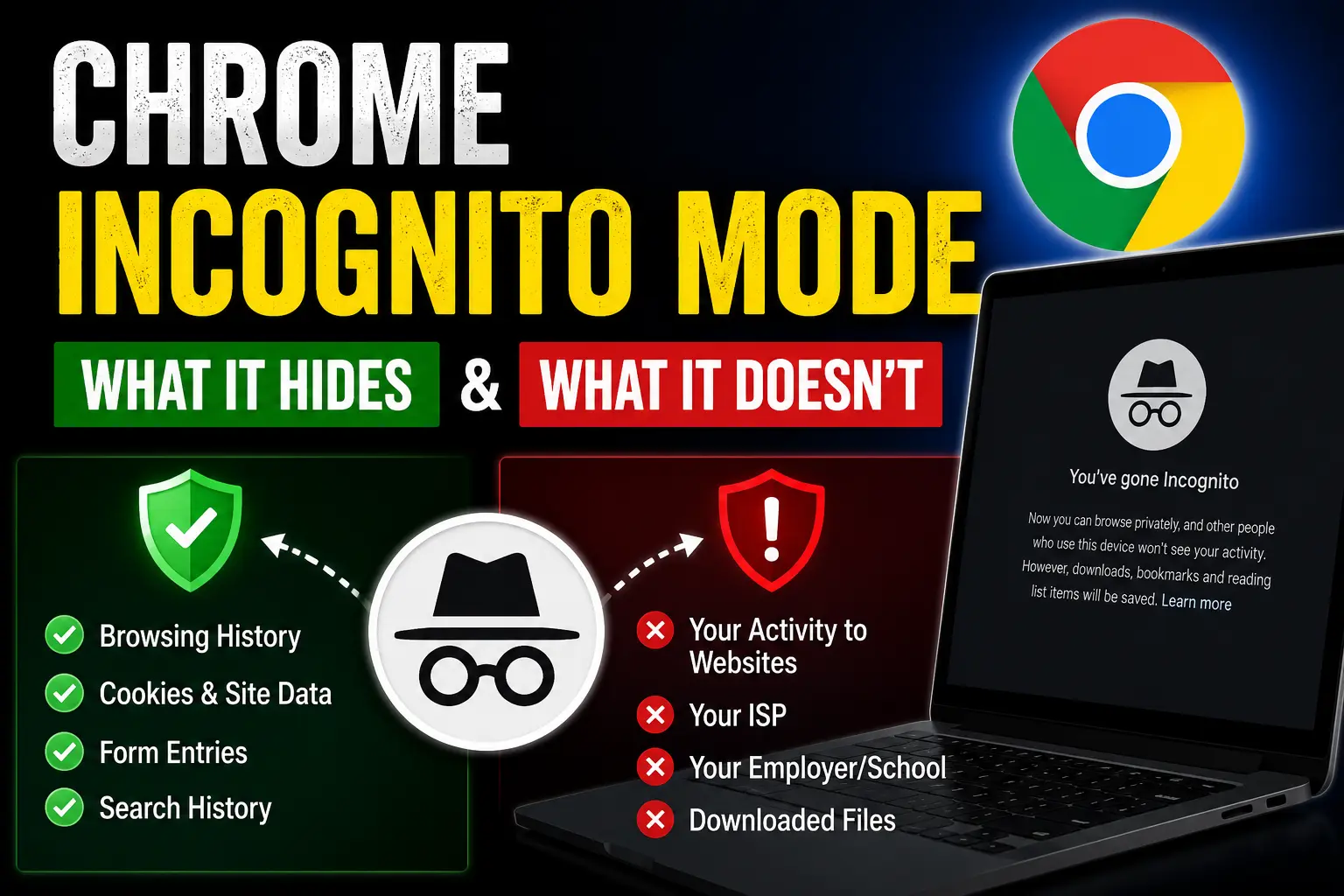
Chrome Incognito Mode Explained: What It Really Hides — and the Privacy Myths Most People Still Believe
For years, Chrome Incognito Mode has lived in a gray area between convenience and misconception.
For some people, it's a digital invisibility cloak. For others, it's a quick way to browse without cluttering their history. Many use it to sign into multiple accounts at once, check travel prices, test websites, or keep personal browsing separate on a shared computer.
The feature has become so familiar that millions of users click "New Incognito Window" without giving much thought to what it actually does.
And that's where the misunderstanding begins.
The term Incognito sounds powerful. It suggests secrecy. Privacy. An online experience that happens outside the view of others. Over time, that impression has led many users to believe that opening an Incognito window somehow makes them anonymous on the internet.
In reality, the truth is far less dramatic—and far more important to understand.
Incognito Mode is not fake. It serves a legitimate purpose and can be extremely useful in everyday browsing. But it was never designed to make you invisible online, hide your activity from websites, prevent tracking by internet providers, or protect you from every form of digital monitoring.
What it does is much simpler.
It prevents your browser from saving certain local information such as browsing history, cookies, site data, and form entries after you close the window. That's valuable when you're using a shared device, testing websites, logging into multiple accounts, or simply wanting a cleaner browsing session.
What it doesn't do is create a private tunnel between you and the internet.
Websites can still see your visits. Employers and schools can still monitor activity on managed networks. Internet service providers can still detect the domains you access. And online services you sign into still know exactly who you are because you've authenticated yourself.
The gap between what people think Incognito Mode does and what it actually does has fueled years of confusion, myths, social media debates, and even legal discussions surrounding online privacy.
Understanding that difference matters.
Because when people believe they're completely hidden online, they often make decisions based on a false sense of security. And in today's digital world, assumptions about privacy can be more dangerous than a lack of privacy itself.
Chrome Incognito Mode is a useful tool. It's just not the privacy shield many people imagine it to be.
Knowing where its protection starts—and where it ends—is the key to using it correctly and making smarter choices about your online privacy.
What Is Chrome Incognito Mode?
Chrome Incognito Mode is a private browsing feature built into Google Chrome.
When you open an Incognito window, Chrome creates a temporary browsing session that operates separately from your regular browser session.
During that session, Chrome does not save:
- Browsing history
- Search history within Chrome
- Cookies after the session ends
- Site data
- Form information entered during the session
Once all Incognito windows are closed, that temporary session disappears.
That's the core promise of Incognito Mode.
What often gets overlooked is what remains visible outside your browser.
The Short Answer: What Does Incognito Mode Hide?
For users looking for a quick explanation:
Chrome Incognito Mode hides your activity from other people who use the same device and browser profile.
Get Extra 20% OFF
Launch your website today with ultra-fast, secure & premium hosting from Hostinger. Click to claim your deal!
It does not hide your activity from:
- Websites you visit
- Internet service providers (ISPs)
- Employers or schools managing networks
- Search engines
- Government agencies with lawful access
- Online trackers using other identification methods
That distinction changes everything.
What Chrome Incognito Mode Actually Hides
Let's start with the benefits because Incognito Mode does provide meaningful privacy in specific situations.
1. Local Browsing History
When browsing normally, Chrome records every website you visit.
Incognito Mode prevents those pages from appearing in your browser history.
If someone later opens Chrome on your device, they won't find those websites listed in History.
This is one of the feature's most useful functions.
2. Session Cookies After Closing
Websites use cookies to remember information about your visit.
These cookies can:
- Keep you logged in
- Save preferences
- Remember shopping carts
- Track browsing behavior
While cookies still work during an Incognito session, Chrome deletes them when all Incognito windows are closed.
That means websites generally cannot continue using those cookies after the session ends.
3. Saved Form Data
Normally, Chrome remembers information entered into forms.
Examples include:
- Names
- Addresses
- Phone numbers
- Search queries
Incognito Mode does not save this information for future autofill suggestions.
For users on shared computers, this can be particularly helpful.
4. Multiple Account Logins
One of the most common practical uses of Incognito Mode is running multiple accounts simultaneously.
For example:
- One Gmail account in Chrome
- Another Gmail account in Incognito
This creates separate login sessions without constantly signing out.
Professionals, students, marketers, and developers use this feature every day.
5. Shared Device Privacy
If you occasionally use:
- Family computers
- School systems
- Public terminals
- Workstations
Incognito Mode helps prevent personal browsing information from remaining stored locally.
This is arguably where the feature provides the most tangible privacy benefit.
What Chrome Incognito Mode Does NOT Hide
This is where misconceptions begin.
Many users overestimate the protection Incognito Mode provides.
Get Extra 20% OFF
Launch your website today with ultra-fast, secure & premium hosting from Hostinger. Click to claim your deal!
1. Websites Can Still See You
Opening an Incognito window does not make you anonymous.
Websites can still detect:
- Your IP address
- Device information
- Browser configuration
- Geographic region
- Screen size
- Operating system details
Modern websites use sophisticated identification techniques beyond simple cookies.
Incognito Mode removes some tracking mechanisms, but it does not eliminate your digital footprint.
2. Your Internet Provider Can Still See Activity
Your ISP continues routing your internet traffic.
That means it can still see:
- Which websites you visit
- Connection metadata
- Network activity patterns
Incognito Mode changes browser behavior, not network visibility.
This is one of the biggest misconceptions surrounding private browsing.
3. Employers and Schools Can Monitor Traffic
Many organizations manage internet activity through:
- Firewalls
- DNS filtering
- Security monitoring systems
- Network management tools
If you're connected to a company or educational network, Incognito Mode does not bypass those controls.
Network administrators can still monitor activity according to organizational policies.
4. Downloads Remain on Your Device
Files downloaded during an Incognito session do not magically disappear.
Downloaded content remains stored on the computer unless manually removed.
Examples include:
- PDFs
- Images
- Videos
- Documents
- Software installers
Anyone with access to the device may still find those files.
5. Bookmarks Remain Saved
Bookmarks created during Incognito browsing stay permanently available.
This often surprises users.
Incognito prevents history storage, but bookmarks function normally.
6. Malware and Cyber Threats Still Exist
Incognito Mode is not a cybersecurity tool.
It cannot protect against:
- Malware
- Ransomware
- Phishing attacks
- Malicious downloads
- Fake websites
- Credential theft
If a dangerous website tricks you into entering passwords, Incognito Mode offers no protection.
Security awareness remains essential.
Why So Many People Misunderstand Incognito Mode
Part of the confusion comes from language.
Terms like:
Get Extra 20% OFF
Launch your website today with ultra-fast, secure & premium hosting from Hostinger. Click to claim your deal!
- Private browsing
- Incognito
- Private mode
sound stronger than they actually are.
Users naturally associate these words with anonymity.
In reality, browsers are primarily describing local privacy, not complete online invisibility.
Over the last decade, browser vendors have gradually improved explanations because user expectations often exceeded what the technology was designed to do.
Incognito Mode was never intended to function like a privacy network.
It was designed to create temporary browser sessions.
That's a very different objective.
Incognito Mode vs VPN: What's the Difference?
Many users confuse Incognito Mode with a VPN.
The two serve entirely different purposes.
| Feature | Incognito Mode | VPN |
|---|---|---|
| Hides local browsing history | Yes | No |
| Changes IP address | No | Yes |
| Encrypts internet traffic | No | Yes |
| Prevents ISP visibility | No | Partially |
| Removes session cookies after use | Yes | No |
| Improves local privacy | Yes | Limited |
A VPN addresses network privacy.
Incognito Mode addresses local browser privacy.
They solve different problems.
When Should You Use Incognito Mode?
Incognito Mode works best in practical everyday scenarios.
Good use cases include:
- Using a shared computer
- Logging into multiple accounts
- Testing websites
- Checking search results without personalization
- Temporary browsing sessions
- Preventing local history storage
In these situations, it performs exactly as intended.
When Incognito Mode Is Not Enough
If your goal is serious privacy protection, Incognito alone is insufficient.
Consider additional measures such as:
- Strong passwords
- Multi-factor authentication
- Secure DNS services
- Privacy-focused browsers
- VPN services
- Regular software updates
- Security awareness training
Privacy today is rarely achieved through a single tool.
It comes from combining multiple layers of protection.
Benefits and Disadvantages of Chrome Incognito Mode
Benefits
- Prevents local history storage
- Deletes session cookies after closing
- Useful on shared devices
- Supports multiple account logins
- Easy to access and use
Disadvantages
- Does not provide anonymity
- Does not hide activity from ISPs
- Does not prevent employer monitoring
- Does not stop advanced tracking techniques
- Offers no malware protection
Chck how AI is changing cyber security in 2026
Final Recommandations for users
Chrome Incognito Mode remains one of the most useful browser features available, but its strengths are often misunderstood.
The feature excels at keeping browsing activity off a local device. It is convenient, practical, and genuinely valuable for shared computers, temporary sessions, and account management.
What it does not offer is anonymity.
The difference between local privacy and online anonymity is the key lesson most users miss.
If you view Incognito Mode as a temporary browsing session rather than a complete privacy shield, its purpose becomes much clearer. Used with realistic expectations—and alongside broader security practices—it remains a helpful tool in a smarter, more privacy-conscious browsing strategy.







💬 Comments (0)
🔒 Please login to post a comment.
Login Now