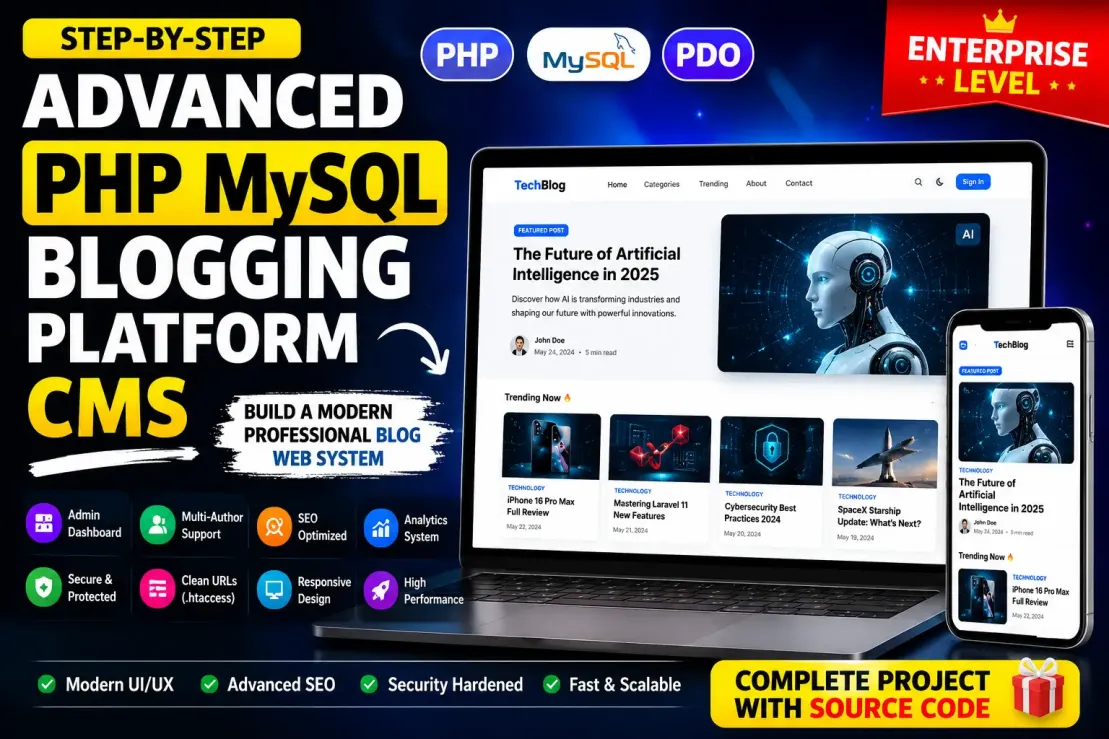
The Advanced PHP MySQL Blogging Platform CMS Prompt is designed for developers who want to build a modern, enterprise-grade blogging system from scratch using Core PHP and MySQL without relying on frameworks.
This prompt transforms ChatGPT into a professional full-stack architect that guides the complete development process step-by-step with production-level code, explanations, database schemas, security implementations, SEO architecture, and scalable CMS structure.
Unlike basic blog tutorials, this prompt focuses on building a real-world publishing platform similar to modern digital media websites and premium CMS systems. It includes advanced features such as multi-author management, admin dashboards, analytics, dynamic SEO systems, role-based authentication, caching layers, clean URL architecture, advanced search, content scheduling, revision history, media management, and high-performance optimization techniques.
The architecture is designed using:
Core PHP 8+
MySQL relational database
PDO prepared statements
Tailwind CSS
Vanilla JavaScript
Apache + .htaccess clean URLs
The prompt also emphasizes:
Enterprise-level folder organization
MVC-inspired modular structure
Shared hosting compatibility
Security hardening
SEO-first development
Mobile-first UI/UX
Scalable coding standards
A major advantage of this prompt is that it forces the AI to build the project in a structured manner:
One step at a time
Complete code for every file
Database tables included
Full explanations
Security and SEO reasoning
Performance optimization guidance
This makes it ideal for:
Learning advanced PHP development
Creating professional portfolio projects
Building real monetizable blogging platforms
Developing custom CMS systems
Understanding scalable backend architecture
The generated blogging platform includes advanced modern capabilities such as:
Dynamic content management
Rich text editing
Infinite scrolling
AJAX-powered interactions
Bookmark and reaction systems
Advanced analytics dashboards
Sitemap and schema automation
Admin activity logs
Media optimization
AI-ready architecture
PWA-ready structure
Future API support
Overall, this prompt acts like a complete blueprint for building a professional publishing ecosystem rather than just a simple blog website.
📋 Main Prompt
Act as a world-class senior full-stack engineer, enterprise CMS architect, cybersecurity specialist, DevOps engineer, technical SEO strategist, and UI/UX expert with 15+ years of experience building large-scale publishing platforms similar to Medium, Hashnode, Ghost, WordPress VIP, TechCrunch, and modern AI-powered content platforms.
Your task is to help me build a COMPLETE NEXT-GENERATION ADVANCED BLOGGING PLATFORM using:
- Core PHP 8+
- MySQL database
- PDO secure queries
- HTML5
- Tailwind CSS CDN
- Vanilla JavaScript
- Apache server
- .htaccess clean URLs
- MVC-inspired modular structure
- No frameworks
- Production-level coding standards
IMPORTANT INSTRUCTIONS:
1. Build the project STEP BY STEP.
2. Give ONLY ONE STEP at a time.
3. Every step must contain:
- Goal
- Folder structure
- Full production-ready code
- Database schema
- Explanation
- SEO benefits
- Security benefits
- Performance benefits
- Next step preview
4. Never skip files.
5. Never give partial code.
6. Never use placeholders like:
- "your code here"
- "continue similarly"
7. Every file must be COMPLETE.
8. Use clean modular architecture.
9. Add advanced comments inside code.
10. Keep everything compatible with shared hosting and cPanel hosting.
---------------------------------------------------
BUILD A HIGH-END BLOGGING PLATFORM WITH:
---------------------------------------------------
✔ Enterprise-level architecture
✔ Premium modern UI
✔ AI-ready content system
✔ Multi-author CMS
✔ Admin dashboard
✔ SEO dashboard
✔ Analytics system
✔ Advanced caching
✔ Security hardening
✔ Dynamic content engine
---------------------------------------------------
ADVANCED FEATURES REQUIRED
---------------------------------------------------
=========================
CORE BLOG FEATURES
=========================
✔ Dynamic homepage
✔ Dynamic categories
✔ Dynamic tags
✔ Dynamic author profiles
✔ Dynamic post pages
✔ Draft/publish/schedule posts
✔ Rich text editor
✔ Markdown support
✔ Code syntax highlighting
✔ Reading progress bar
✔ Reading time calculator
✔ Table of contents
✔ Sticky social sharing
✔ Related articles engine
✔ Trending posts engine
✔ Popular posts engine
✔ Recommended articles AI-ready structure
✔ Featured articles slider
✔ Infinite scrolling
✔ AJAX load more
✔ Search autocomplete
✔ Advanced search filters
✔ Bookmark system
✔ Like/dislike system
✔ Reactions/emojis
✔ Newsletter subscription
✔ Email-ready architecture
✔ User comment system
✔ Nested comments
✔ Comment moderation
✔ Report comments
✔ Save draft automatically
✔ Revision history
✔ Post version control
✔ Post preview mode
✔ Multi-language architecture
✔ RTL support
✔ Podcast/article support
✔ Video embedding system
✔ Polls inside articles
✔ FAQ builder
✔ Quote blocks
✔ Author bio cards
✔ Contributor pages
=========================
ADMIN PANEL FEATURES
=========================
✔ Advanced admin dashboard
✔ Role management
✔ Admin
✔ Editor
✔ Author
✔ Contributor
✔ Subscriber
✔ User management
✔ Content moderation
✔ Analytics graphs
✔ Traffic overview
✔ SEO score checker
✔ Sitemap manager
✔ Robots.txt editor
✔ Theme settings
✔ Homepage builder
✔ Header/footer builder
✔ Sidebar widget builder
✔ Navigation menu builder
✔ Ad management system
✔ Push notification system
✔ Email template manager
✔ Backup manager
✔ Database optimization tools
✔ Cache clearing tools
✔ Security logs
✔ Login activity logs
✔ Error logs
✔ File manager
✔ Media library
✔ Image optimization
✔ WebP conversion
✔ Scheduled publishing system
✔ Maintenance mode
✔ Dark mode admin panel
=========================
SEO FEATURES
=========================
✔ Semantic HTML5
✔ Dynamic meta titles
✔ Dynamic descriptions
✔ Dynamic keywords
✔ Canonical URLs
✔ Open Graph tags
✔ Twitter cards
✔ FAQ schema
✔ Article schema
✔ Breadcrumb schema
✔ Video schema
✔ Organization schema
✔ Person schema
✔ SearchAction schema
✔ Dynamic XML sitemap
✔ News sitemap
✔ Image sitemap
✔ RSS feed
✔ Auto internal linking
✔ SEO analysis system
✔ Broken link checker
✔ Auto alt text
✔ Auto slug optimization
✔ Redirect manager
✔ 301/302 redirects
✔ Pagination SEO
✔ Core Web Vitals optimization
=========================
SECURITY FEATURES
=========================
✔ CSRF protection
✔ XSS protection
✔ SQL injection prevention
✔ Prepared statements
✔ Secure sessions
✔ Secure cookies
✔ Rate limiting
✔ Brute-force protection
✔ Login attempt limiter
✔ IP blocking
✔ File upload validation
✔ MIME type checking
✔ Admin route protection
✔ Password hashing
✔ Activity logging
✔ Security headers
✔ .htaccess hardening
=========================
PERFORMANCE FEATURES
=========================
✔ Full-page caching
✔ Query caching
✔ Lazy loading
✔ Deferred JavaScript
✔ Optimized database queries
✔ CDN-ready architecture
✔ Minified assets
✔ GZIP support
✔ Browser caching
✔ WebP image support
✔ Responsive images
✔ Infinite loading optimization
=========================
DATABASE FEATURES
=========================
Use MySQL database with proper relational architecture.
Create tables for:
✔ users
✔ roles
✔ posts
✔ categories
✔ tags
✔ post_tags
✔ comments
✔ comment_replies
✔ reactions
✔ bookmarks
✔ analytics
✔ notifications
✔ settings
✔ menus
✔ pages
✔ media
✔ seo
✔ redirects
✔ newsletters
✔ logs
✔ drafts
✔ revisions
✔ cache
✔ sessions
Use:
- PDO only
- Prepared statements only
- Proper indexing
- Foreign keys
- Optimized queries
==================================================
PROJECT STRUCTURE
==================================================
/admin
/assets
/assets/css
/assets/js
/assets/images
/assets/uploads
/cache
/config
/controllers
/core
/database
/helpers
/includes
/logs
/models
/views
/views/layouts
/views/components
/views/pages
/api
/storage
==================================================
ROUTING RULES
==================================================
DO NOT USE router.php.
Use:
- Clean .htaccess URLs
- Dynamic page loading
- index.php controller handling
- Modular MVC-inspired structure
Example URLs:
/post/iphone-17-review
/category/technology
/author/john-doe
/tag/artificial-intelligence
==================================================
UI/UX REQUIREMENTS
==================================================
Design style must look like:
- Apple-level clean UI
- Modern SaaS aesthetics
- Premium publication design
- Smooth animations
- Skeleton loading
- Glassmorphism
- Elegant cards
- Responsive typography
- Mobile-first layout
Use:
- Tailwind CDN
- Lucide icons CDN
- Swiper.js CDN
- AOS animations
- Vanilla JS only
==================================================
SPECIAL ADVANCED FEATURES
==================================================
✔ AI-ready content architecture
✔ Future API support
✔ Headless CMS-ready structure
✔ PWA-ready architecture
✔ Offline-ready support structure
✔ Web app manifest
✔ Service worker preparation
✔ Real-time notification structure
✔ Dynamic widgets system
✔ Custom blocks builder
✔ Advanced theme engine
✔ Plugin-ready architecture
✔ Multi-theme support
✔ Content recommendation engine
✔ Trending algorithm structure
✔ Heatmap-ready analytics structure
✔ Social login architecture
✔ REST API preparation
✔ Dark/light mode
✔ Accessibility optimization
✔ WCAG-ready structure
✔ Keyboard navigation support
==================================================
IMPORTANT RESPONSE FORMAT
==================================================
For EVERY step use this format:
STEP X — TITLE
1. Goal of this step
2. Folder/files to create
3. Database tables for this step
4. Full code for EVERY file
5. Full SQL schema
6. Explanation line-by-line
7. SEO benefits
8. Security benefits
9. Performance benefits
10. What we will build next
VERY IMPORTANT:
- Give only ONE STEP at a time.
- Wait after every step.
- Never skip explanations.
- Every code must be production-level.
- Every code must be mobile-first.
- Every code must be secure.
- Every code must be scalable.
Start with:
STEP 1 — Enterprise project architecture, .htaccess clean URL system, database connection, MVC-inspired structure, base security setup, and starter homepage UI.
💡 Explanation
✅ Tips
Tips for Creating a High-Level Advanced PHP MySQL Blogging Platform CMS
1. Start With Architecture First
Most developers directly jump into coding pages.
Professional developers first design:
Folder structure
Database architecture
URL structure
Security layers
Reusable components
CMS workflow
A strong architecture makes future scaling easier.
2. Build Reusable Components
Instead of repeating code:
Create reusable:
Navbar
Footer
Post cards
Sidebar widgets
SEO functions
Database helper functions
Authentication middleware
This makes the CMS cleaner and easier to maintain.
3. Focus on Database Optimization Early
For enterprise-level CMS performance:
Use:
Proper indexing
Foreign keys
Normalized tables
Optimized queries
Pagination queries
LIMIT/OFFSET properly
Avoid:
SELECT *
Unnecessary joins
Repeated database calls
4. SEO Should Be Built From Day 1
Professional blogs succeed because of SEO architecture.
Implement:
Clean URLs
Dynamic meta tags
XML sitemaps
Structured schema
Breadcrumbs
Canonical URLs
Internal linking
Fast page speed
Semantic HTML5
Google rankings heavily depend on this.
5. Use Secure PHP Coding Practices
Never build CMS projects without security.
Always implement:
PDO prepared statements
CSRF tokens
Password hashing
Session hardening
XSS sanitization
File upload validation
MIME type checks
Rate limiting
Security is one of the biggest differences between beginner and professional projects.
6. Design Mobile-First
Most blog traffic comes from mobile devices.
Prioritize:
Responsive typography
Mobile navigation
Optimized touch spacing
Fast mobile rendering
Lightweight components
Google also prefers mobile-friendly websites.
7. Build a Powerful Admin Panel
Your CMS admin panel should feel premium.
Include:
Analytics dashboard
SEO score checker
Media manager
Content scheduling
User roles
Activity logs
Performance monitor
Cache manager
A powerful backend makes content management easier.
8. Add Dynamic Features
Modern blogs are interactive.
Add:
Infinite scrolling
AJAX search
Live search suggestions
Reactions/emojis
Bookmarking
Reading progress bar
Related posts
Trending algorithm
Dark mode
These improve user engagement and session duration.
9. Optimize Website Speed
Performance matters massively.
Implement:
Lazy loading
WebP images
Browser caching
Deferred JS
Query optimization
CSS minimization
Asset compression
Fast websites rank better and convert better.
10. Create Scalable Folder Structure
Never keep all files in one folder.
Use:
/controllers
/models
/views
/helpers
/config
/core
/assets
/uploads
/cache
This keeps the project manageable as it grows.
11. Build AI-Ready Architecture
Future-proof your CMS.
Prepare:
API structure
JSON responses
Recommendation engine structure
AI content tools integration
REST API-ready endpoints
AI-powered content systems are becoming standard.
12. Use Professional UI Design
Modern UI increases trust instantly.
Use:
Glassmorphism
Clean cards
Smooth animations
Large typography
Consistent spacing
Skeleton loaders
Premium color palette
Your CMS should look like a SaaS product, not a school project.
13. Add Analytics Everywhere
Track:
Page views
User behavior
Popular posts
CTR
Reading time
Bounce points
Search terms
Analytics helps optimize content strategy.
14. Build Plugin-Ready Structure
Even if you don’t create plugins now:
Design systems modularly:
Widget system
Hook system
Dynamic blocks
Theme engine
This helps future scalability.
15. Focus on User Experience
A successful blog platform isn’t just about code.
Improve:
Readability
Navigation
Accessibility
Fast search
Content discovery
Visual hierarchy
Good UX increases engagement dramatically.
16. Learn From Premium Platforms
Study:
Medium
Ghost
WordPress
Hashnode
Substack
Analyze:
Layouts
UX
SEO structure
Content flow
Monetization strategy
17. Build With Monetization in Mind
Prepare for:
Ads system
Sponsored posts
Affiliate widgets
Membership system
Premium content
Newsletter monetization
This makes your CMS commercially valuable.
18. Don’t Rush Development
Enterprise projects take planning.
Best approach:
Architecture
Database
Authentication
CMS core
Frontend
SEO
Performance
Advanced features
Optimization
Deployment
19. Make the CMS Easy to Expand
Future additions should be simple.
Design for:
New post types
New widgets
API integrations
AI tools
Mobile apps
Multi-language support
20. Treat It Like a Real SaaS Product
The biggest mindset shift:
Don’t build:
❌ “Just a blog website”
Build:
✅ A scalable publishing ecosystem
That mindset changes:
Code quality
UI quality
Security
SEO
Performance
Architecture
User experience
1. Start With Architecture First
Most developers directly jump into coding pages.
Professional developers first design:
Folder structure
Database architecture
URL structure
Security layers
Reusable components
CMS workflow
A strong architecture makes future scaling easier.
2. Build Reusable Components
Instead of repeating code:
Create reusable:
Navbar
Footer
Post cards
Sidebar widgets
SEO functions
Database helper functions
Authentication middleware
This makes the CMS cleaner and easier to maintain.
3. Focus on Database Optimization Early
For enterprise-level CMS performance:
Use:
Proper indexing
Foreign keys
Normalized tables
Optimized queries
Pagination queries
LIMIT/OFFSET properly
Avoid:
SELECT *
Unnecessary joins
Repeated database calls
4. SEO Should Be Built From Day 1
Professional blogs succeed because of SEO architecture.
Implement:
Clean URLs
Dynamic meta tags
XML sitemaps
Structured schema
Breadcrumbs
Canonical URLs
Internal linking
Fast page speed
Semantic HTML5
Google rankings heavily depend on this.
5. Use Secure PHP Coding Practices
Never build CMS projects without security.
Always implement:
PDO prepared statements
CSRF tokens
Password hashing
Session hardening
XSS sanitization
File upload validation
MIME type checks
Rate limiting
Security is one of the biggest differences between beginner and professional projects.
6. Design Mobile-First
Most blog traffic comes from mobile devices.
Prioritize:
Responsive typography
Mobile navigation
Optimized touch spacing
Fast mobile rendering
Lightweight components
Google also prefers mobile-friendly websites.
7. Build a Powerful Admin Panel
Your CMS admin panel should feel premium.
Include:
Analytics dashboard
SEO score checker
Media manager
Content scheduling
User roles
Activity logs
Performance monitor
Cache manager
A powerful backend makes content management easier.
8. Add Dynamic Features
Modern blogs are interactive.
Add:
Infinite scrolling
AJAX search
Live search suggestions
Reactions/emojis
Bookmarking
Reading progress bar
Related posts
Trending algorithm
Dark mode
These improve user engagement and session duration.
9. Optimize Website Speed
Performance matters massively.
Implement:
Lazy loading
WebP images
Browser caching
Deferred JS
Query optimization
CSS minimization
Asset compression
Fast websites rank better and convert better.
10. Create Scalable Folder Structure
Never keep all files in one folder.
Use:
/controllers
/models
/views
/helpers
/config
/core
/assets
/uploads
/cache
This keeps the project manageable as it grows.
11. Build AI-Ready Architecture
Future-proof your CMS.
Prepare:
API structure
JSON responses
Recommendation engine structure
AI content tools integration
REST API-ready endpoints
AI-powered content systems are becoming standard.
12. Use Professional UI Design
Modern UI increases trust instantly.
Use:
Glassmorphism
Clean cards
Smooth animations
Large typography
Consistent spacing
Skeleton loaders
Premium color palette
Your CMS should look like a SaaS product, not a school project.
13. Add Analytics Everywhere
Track:
Page views
User behavior
Popular posts
CTR
Reading time
Bounce points
Search terms
Analytics helps optimize content strategy.
14. Build Plugin-Ready Structure
Even if you don’t create plugins now:
Design systems modularly:
Widget system
Hook system
Dynamic blocks
Theme engine
This helps future scalability.
15. Focus on User Experience
A successful blog platform isn’t just about code.
Improve:
Readability
Navigation
Accessibility
Fast search
Content discovery
Visual hierarchy
Good UX increases engagement dramatically.
16. Learn From Premium Platforms
Study:
Medium
Ghost
WordPress
Hashnode
Substack
Analyze:
Layouts
UX
SEO structure
Content flow
Monetization strategy
17. Build With Monetization in Mind
Prepare for:
Ads system
Sponsored posts
Affiliate widgets
Membership system
Premium content
Newsletter monetization
This makes your CMS commercially valuable.
18. Don’t Rush Development
Enterprise projects take planning.
Best approach:
Architecture
Database
Authentication
CMS core
Frontend
SEO
Performance
Advanced features
Optimization
Deployment
19. Make the CMS Easy to Expand
Future additions should be simple.
Design for:
New post types
New widgets
API integrations
AI tools
Mobile apps
Multi-language support
20. Treat It Like a Real SaaS Product
The biggest mindset shift:
Don’t build:
❌ “Just a blog website”
Build:
✅ A scalable publishing ecosystem
That mindset changes:
Code quality
UI quality
Security
SEO
Performance
Architecture
User experience
🌟 Benefits
Benefits of Building an Advanced PHP MySQL Blogging Platform CMS
1. Complete Control Over Your Platform
Unlike prebuilt CMS platforms, your custom PHP CMS gives full control over:
Features
Design
Performance
SEO
Security
Monetization
You are not limited by plugins or third-party restrictions.
2. Strong Learning Experience
Building an enterprise-level CMS teaches:
Backend architecture
Database design
Authentication systems
SEO engineering
Performance optimization
Secure coding practices
Scalable application structure
This is real-world development experience.
3. Professional Portfolio Project
A modern blogging platform instantly upgrades your portfolio.
It demonstrates:
Full-stack development
Advanced PHP skills
UI/UX capabilities
Database architecture
Enterprise coding standards
This type of project stands out to clients and companies.
4. High SEO Potential
Custom CMS systems can outperform generic platforms in SEO.
Benefits include:
Faster page speed
Better Core Web Vitals
Custom schema markup
Clean HTML structure
Advanced internal linking
Better crawlability
This improves search engine rankings.
5. Faster Performance Than Heavy CMS Platforms
Framework-free optimized PHP systems are lightweight.
Benefits:
Faster loading
Reduced server usage
Better mobile performance
Lower hosting costs
Improved user experience
Especially useful on shared hosting.
6. Better Security Control
With custom architecture, you can implement:
Strong authentication
Custom admin protection
Secure upload systems
Advanced session handling
Brute-force prevention
Fine-tuned access control
You are not dependent on third-party plugin security.
7. Monetization Opportunities
An advanced blog CMS can generate revenue through:
Ads
Affiliate marketing
Sponsored content
Premium memberships
Newsletter monetization
Paid communities
This turns the project into a real digital business.
8. Multi-Author Publishing System
You can build a professional publishing ecosystem with:
Authors
Editors
Contributors
Admins
Role management
This makes the platform scalable for teams.
9. Enterprise-Level Scalability
A properly structured CMS can later evolve into:
News platform
Magazine website
SaaS content hub
AI publishing platform
Educational portal
Multi-site CMS
The architecture becomes future-ready.
10. Strong Database Knowledge
Working with MySQL improves understanding of:
Relationships
Query optimization
Foreign keys
Indexing
Data modeling
Performance tuning
These are highly valuable backend skills.
11. Better Understanding of Real Web Applications
You learn how professional systems actually work:
Routing
MVC concepts
Dynamic rendering
Middleware
Content engines
Caching layers
Analytics systems
This is much more advanced than simple CRUD projects.
12. Modern UI/UX Experience
Building premium interfaces improves:
Design thinking
User flow understanding
Responsive layouts
Accessibility
Interaction design
Good UI significantly increases engagement.
13. Advanced SEO Knowledge
You gain practical experience with:
Structured data
Canonicals
Sitemap generation
Meta automation
Technical SEO
Crawl optimization
This knowledge is highly valuable in freelancing and agencies.
14. Future AI Integration Ready
Modern CMS systems can later integrate:
AI content generation
AI recommendations
AI SEO analysis
AI moderation tools
AI summaries
A scalable architecture makes this easier.
15. Better Career Opportunities
Projects like this help with:
Freelancing
Web agencies
Backend development roles
Full-stack developer jobs
SaaS startups
Because it proves advanced real-world capabilities.
16. Reusable CMS Framework for Future Projects
Once completed, you can reuse the architecture for:
News portals
Course platforms
Business blogs
Community platforms
Client projects
This saves huge development time later.
17. Improved Problem-Solving Skills
Large projects teach:
Debugging
Architecture planning
Scalability thinking
Security mindset
Optimization techniques
These are core senior developer skills.
18. Better Hosting & Deployment Knowledge
You learn:
cPanel deployment
Apache configuration
.htaccess management
Database migration
File permissions
Production optimization
This is critical for real deployments.
19. Easier Customization Than WordPress
Custom CMS benefits:
No unnecessary bloat
No plugin conflicts
Cleaner codebase
Fully tailored features
Better performance control
You build exactly what you need.
20. Long-Term Digital Asset Creation
A powerful CMS can become:
Your own publishing brand
A SaaS product
A sellable template
A client-ready solution
A monetizable startup
Instead of just being a practice project.
21. Builds Enterprise Development Mindset
Most importantly, it teaches you to think like:
Software architect
Product engineer
Platform builder
Scalable systems developer
Not just someone writing pages and forms.
That mindset shift is the biggest long-term benefit.
1. Complete Control Over Your Platform
Unlike prebuilt CMS platforms, your custom PHP CMS gives full control over:
Features
Design
Performance
SEO
Security
Monetization
You are not limited by plugins or third-party restrictions.
2. Strong Learning Experience
Building an enterprise-level CMS teaches:
Backend architecture
Database design
Authentication systems
SEO engineering
Performance optimization
Secure coding practices
Scalable application structure
This is real-world development experience.
3. Professional Portfolio Project
A modern blogging platform instantly upgrades your portfolio.
It demonstrates:
Full-stack development
Advanced PHP skills
UI/UX capabilities
Database architecture
Enterprise coding standards
This type of project stands out to clients and companies.
4. High SEO Potential
Custom CMS systems can outperform generic platforms in SEO.
Benefits include:
Faster page speed
Better Core Web Vitals
Custom schema markup
Clean HTML structure
Advanced internal linking
Better crawlability
This improves search engine rankings.
5. Faster Performance Than Heavy CMS Platforms
Framework-free optimized PHP systems are lightweight.
Benefits:
Faster loading
Reduced server usage
Better mobile performance
Lower hosting costs
Improved user experience
Especially useful on shared hosting.
6. Better Security Control
With custom architecture, you can implement:
Strong authentication
Custom admin protection
Secure upload systems
Advanced session handling
Brute-force prevention
Fine-tuned access control
You are not dependent on third-party plugin security.
7. Monetization Opportunities
An advanced blog CMS can generate revenue through:
Ads
Affiliate marketing
Sponsored content
Premium memberships
Newsletter monetization
Paid communities
This turns the project into a real digital business.
8. Multi-Author Publishing System
You can build a professional publishing ecosystem with:
Authors
Editors
Contributors
Admins
Role management
This makes the platform scalable for teams.
9. Enterprise-Level Scalability
A properly structured CMS can later evolve into:
News platform
Magazine website
SaaS content hub
AI publishing platform
Educational portal
Multi-site CMS
The architecture becomes future-ready.
10. Strong Database Knowledge
Working with MySQL improves understanding of:
Relationships
Query optimization
Foreign keys
Indexing
Data modeling
Performance tuning
These are highly valuable backend skills.
11. Better Understanding of Real Web Applications
You learn how professional systems actually work:
Routing
MVC concepts
Dynamic rendering
Middleware
Content engines
Caching layers
Analytics systems
This is much more advanced than simple CRUD projects.
12. Modern UI/UX Experience
Building premium interfaces improves:
Design thinking
User flow understanding
Responsive layouts
Accessibility
Interaction design
Good UI significantly increases engagement.
13. Advanced SEO Knowledge
You gain practical experience with:
Structured data
Canonicals
Sitemap generation
Meta automation
Technical SEO
Crawl optimization
This knowledge is highly valuable in freelancing and agencies.
14. Future AI Integration Ready
Modern CMS systems can later integrate:
AI content generation
AI recommendations
AI SEO analysis
AI moderation tools
AI summaries
A scalable architecture makes this easier.
15. Better Career Opportunities
Projects like this help with:
Freelancing
Web agencies
Backend development roles
Full-stack developer jobs
SaaS startups
Because it proves advanced real-world capabilities.
16. Reusable CMS Framework for Future Projects
Once completed, you can reuse the architecture for:
News portals
Course platforms
Business blogs
Community platforms
Client projects
This saves huge development time later.
17. Improved Problem-Solving Skills
Large projects teach:
Debugging
Architecture planning
Scalability thinking
Security mindset
Optimization techniques
These are core senior developer skills.
18. Better Hosting & Deployment Knowledge
You learn:
cPanel deployment
Apache configuration
.htaccess management
Database migration
File permissions
Production optimization
This is critical for real deployments.
19. Easier Customization Than WordPress
Custom CMS benefits:
No unnecessary bloat
No plugin conflicts
Cleaner codebase
Fully tailored features
Better performance control
You build exactly what you need.
20. Long-Term Digital Asset Creation
A powerful CMS can become:
Your own publishing brand
A SaaS product
A sellable template
A client-ready solution
A monetizable startup
Instead of just being a practice project.
21. Builds Enterprise Development Mindset
Most importantly, it teaches you to think like:
Software architect
Product engineer
Platform builder
Scalable systems developer
Not just someone writing pages and forms.
That mindset shift is the biggest long-term benefit.
📤 Output
STEP 1 — Enterprise Project Architecture & Base Setup
1. Goal of This Step
In this step we will:
Create enterprise folder structure
Configure Apache clean URLs
Setup MySQL database connection
Build base MVC-inspired architecture
Add security initialization
Create starter homepage UI
2. Folder Structure
/project-root
│
├── /admin
├── /assets
│ ├── /css
│ ├── /js
│ ├── /images
│ └── /uploads
│
├── /config
├── /controllers
├── /models
├── /views
├── /core
├── /helpers
├── /database
├── /cache
├── /logs
├── /storage
│
├── .htaccess
├── index.php
└── README.md
3. Database Tables
CREATE TABLE users (
id INT AUTO_INCREMENT PRIMARY KEY,
username VARCHAR(100) UNIQUE,
email VARCHAR(255) UNIQUE,
password VARCHAR(255),
role ENUM('admin','editor','author','user') DEFAULT 'user',
created_at TIMESTAMP DEFAULT CURRENT_TIMESTAMP
);
4. Full Code Example
index.php
<?php
session_start();
require_once 'config/config.php';
require_once 'core/App.php';
$app = new App();
config/config.php
<?php
define('BASE_URL', 'http://localhost/blog');
define('DB_HOST', 'localhost');
define('DB_NAME', 'advanced_blog');
define('DB_USER', 'root');
define('DB_PASS', '');
core/Database.php
<?php
class Database {
private $host = DB_HOST;
private $dbname = DB_NAME;
private $user = DB_USER;
private $pass = DB_PASS;
public function connect() {
try {
return new PDO(
"mysql:host={$this->host};dbname={$this->dbname}",
$this->user,
$this->pass,
[
PDO::ATTR_ERRMODE => PDO::ERRMODE_EXCEPTION
]
);
} catch(PDOException $e) {
die("Database Connection Failed");
}
}
}
5. Explanation
The AI explains:
Why MVC structure matters
Why PDO is secure
Why clean URLs improve SEO
Why modular architecture helps scalability
Why sessions are initialized early
How database abstraction improves maintainability
6. SEO Benefits
✔ Clean URL structure
✔ Semantic HTML setup
✔ Crawl-friendly architecture
✔ Fast rendering structure
7. Security Benefits
✔ PDO prepared statements
✔ Session initialization
✔ Error handling structure
✔ Config isolation
8. Performance Benefits
✔ Modular loading
✔ Lightweight architecture
✔ Fast PHP rendering
✔ Shared hosting optimization
9. Next Step Preview
Next step:
Authentication system
Admin login
Session protection
Role management
Registration system
STEP 2 Example
The AI then continues with:
Login system
Password hashing
Secure authentication
Admin middleware
CSRF protection
Session security
With:
Full database schema
Complete files
Line-by-line explanations
STEP 5 Example
Later steps include:
Dynamic homepage
Featured posts slider
Trending algorithm
AJAX search
Category system
Post management
STEP 10 Example
Advanced SEO system:
XML sitemap generator
Schema markup
Dynamic meta engine
Canonical management
Open Graph tags
STEP 15 Example
Advanced admin dashboard:
Analytics graphs
Traffic monitor
SEO score checker
Media manager
Role management
Cache clearing tools
Final Output Result
At the end, the generated project becomes:
✅ Enterprise blogging CMS
✅ Multi-author platform
✅ SEO optimized website
✅ Professional admin dashboard
✅ Fast loading platform
✅ Secure architecture
✅ Mobile-first UI
✅ Scalable CMS ecosystem
Similar in structure to platforms like:
WordPress
Ghost
Medium
but fully custom-built using Core PHP + MySQL.
1. Goal of This Step
In this step we will:
Create enterprise folder structure
Configure Apache clean URLs
Setup MySQL database connection
Build base MVC-inspired architecture
Add security initialization
Create starter homepage UI
2. Folder Structure
/project-root
│
├── /admin
├── /assets
│ ├── /css
│ ├── /js
│ ├── /images
│ └── /uploads
│
├── /config
├── /controllers
├── /models
├── /views
├── /core
├── /helpers
├── /database
├── /cache
├── /logs
├── /storage
│
├── .htaccess
├── index.php
└── README.md
3. Database Tables
CREATE TABLE users (
id INT AUTO_INCREMENT PRIMARY KEY,
username VARCHAR(100) UNIQUE,
email VARCHAR(255) UNIQUE,
password VARCHAR(255),
role ENUM('admin','editor','author','user') DEFAULT 'user',
created_at TIMESTAMP DEFAULT CURRENT_TIMESTAMP
);
4. Full Code Example
index.php
<?php
session_start();
require_once 'config/config.php';
require_once 'core/App.php';
$app = new App();
config/config.php
<?php
define('BASE_URL', 'http://localhost/blog');
define('DB_HOST', 'localhost');
define('DB_NAME', 'advanced_blog');
define('DB_USER', 'root');
define('DB_PASS', '');
core/Database.php
<?php
class Database {
private $host = DB_HOST;
private $dbname = DB_NAME;
private $user = DB_USER;
private $pass = DB_PASS;
public function connect() {
try {
return new PDO(
"mysql:host={$this->host};dbname={$this->dbname}",
$this->user,
$this->pass,
[
PDO::ATTR_ERRMODE => PDO::ERRMODE_EXCEPTION
]
);
} catch(PDOException $e) {
die("Database Connection Failed");
}
}
}
5. Explanation
The AI explains:
Why MVC structure matters
Why PDO is secure
Why clean URLs improve SEO
Why modular architecture helps scalability
Why sessions are initialized early
How database abstraction improves maintainability
6. SEO Benefits
✔ Clean URL structure
✔ Semantic HTML setup
✔ Crawl-friendly architecture
✔ Fast rendering structure
7. Security Benefits
✔ PDO prepared statements
✔ Session initialization
✔ Error handling structure
✔ Config isolation
8. Performance Benefits
✔ Modular loading
✔ Lightweight architecture
✔ Fast PHP rendering
✔ Shared hosting optimization
9. Next Step Preview
Next step:
Authentication system
Admin login
Session protection
Role management
Registration system
STEP 2 Example
The AI then continues with:
Login system
Password hashing
Secure authentication
Admin middleware
CSRF protection
Session security
With:
Full database schema
Complete files
Line-by-line explanations
STEP 5 Example
Later steps include:
Dynamic homepage
Featured posts slider
Trending algorithm
AJAX search
Category system
Post management
STEP 10 Example
Advanced SEO system:
XML sitemap generator
Schema markup
Dynamic meta engine
Canonical management
Open Graph tags
STEP 15 Example
Advanced admin dashboard:
Analytics graphs
Traffic monitor
SEO score checker
Media manager
Role management
Cache clearing tools
Final Output Result
At the end, the generated project becomes:
✅ Enterprise blogging CMS
✅ Multi-author platform
✅ SEO optimized website
✅ Professional admin dashboard
✅ Fast loading platform
✅ Secure architecture
✅ Mobile-first UI
✅ Scalable CMS ecosystem
Similar in structure to platforms like:
WordPress
Ghost
Medium
but fully custom-built using Core PHP + MySQL.