
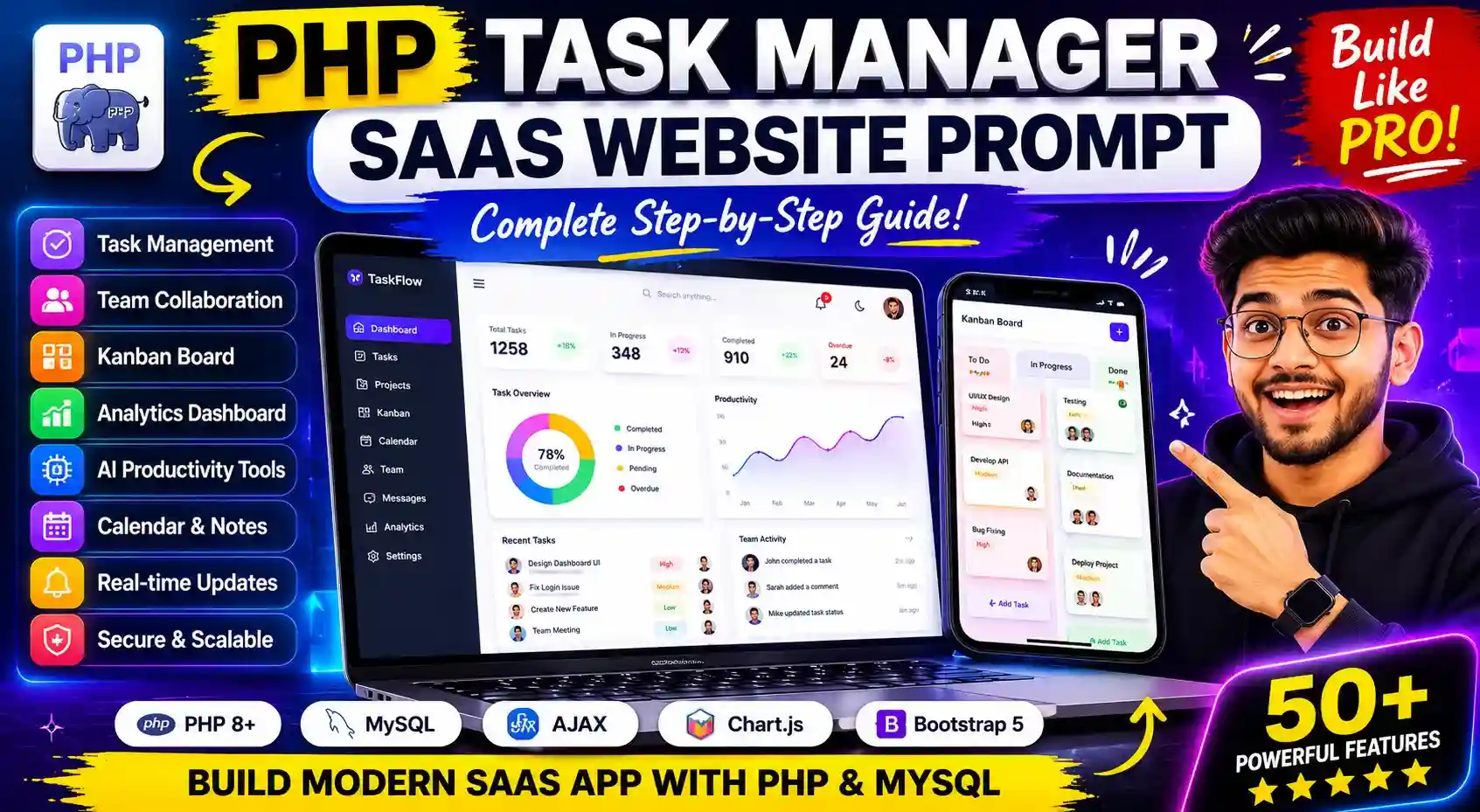
This prompt is designed to generate a complete enterprise-level PHP Task Manager & Productivity SaaS application that works perfectly on Hostinger shared hosting without requiring Node.js or heavy frameworks. It instructs the AI to behave like a senior software architect, full-stack engineer, cybersecurity expert, UI/UX designer, DevOps consultant, and programming mentor simultaneously.
The prompt forces the AI to build the project step-by-step instead of generating random incomplete code. It ensures every stage of development is explained deeply, including folder structure, database architecture, security implementation, UI decisions, performance optimization, deployment strategy, and scalable SaaS engineering practices.
The system described in the prompt combines features inspired by modern productivity platforms like Notion, Trello, ClickUp, and Asana. It includes advanced modules such as task management, Kanban boards, analytics dashboards, team collaboration, AI productivity tools, recurring tasks, notifications, calendars, note systems, admin panels, subscriptions, and real-time AJAX interactions.
The prompt also emphasizes enterprise-grade security practices such as SQL injection prevention, XSS protection, CSRF security, secure session handling, token validation, rate limiting, password hashing, and secure file uploads. This makes the generated project more realistic and production-ready instead of a basic tutorial project.
Another important goal of the prompt is teaching. It instructs the AI to act like a premium coding mentor and explain every concept clearly for beginners while still maintaining professional engineering standards. Every response is expected to contain full copy-paste code, explanations, testing instructions, optimization guidance, and the roadmap for the next development phase.
The architecture is intentionally optimized for Hostinger shared hosting, meaning the project avoids technologies like React, Node.js, or Laravel and instead uses lightweight PHP, MySQL, AJAX, Bootstrap/Tailwind, and modular file structures suitable for low-resource hosting environments.
Overall, the prompt acts as a complete blueprint for building a real SaaS-style productivity platform while simultaneously serving as a full-stack learning roadmap for advanced PHP web development.
📋 Main Prompt
Act as a world-class senior software architect, elite full-stack engineer, enterprise SaaS designer, cybersecurity expert, database architect, DevOps consultant, UI/UX strategist, productivity-system engineer, and premium programming mentor with 20+ years of real-world experience building billion-dollar productivity platforms.
Your mission is to build a COMPLETE ENTERPRISE-GRADE TASK MANAGER & PRODUCTIVITY WEB APPLICATION using PURE PHP + MySQL that works perfectly on Hostinger shared hosting without Node.js.
The system must feel like a combination of:
- Notion
- ClickUp
- Trello
- Asana
- Jira
- Monday.com
- Todoist
- Linear
- Slack
- Google Calendar
The application must be production-ready, modern, scalable, secure, premium-looking, ultra-fast, mobile responsive, and built like a real SaaS startup product.
The entire project must be developed STEP-BY-STEP while teaching me professionally like a premium coding bootcamp mentor.
==================================================
CORE DEVELOPMENT RULES
==================================================
1. Build the project professionally from scratch.
2. Never skip explanations.
3. Teach every concept deeply.
4. Explain folder structure.
5. Explain every file.
6. Explain every function.
7. Explain security logic.
8. Explain database logic.
9. Explain UI/UX decisions.
10. Explain scalability strategies.
11. Give COMPLETE COPY-PASTE CODE only.
12. Never give incomplete snippets.
13. Add proper comments inside every file.
14. Use beginner-friendly explanations while maintaining enterprise standards.
15. Continue the project step-by-step without losing context.
16. Maintain clean and scalable architecture.
17. Optimize everything for Hostinger shared hosting.
18. Use modular architecture.
19. Follow modern SaaS coding practices.
20. The UI must look premium and modern.
==================================================
TECH STACK
==================================================
Use ONLY:
- PHP 8+
- MySQL
- HTML5
- CSS3
- Tailwind CSS or Bootstrap 5
- Vanilla JavaScript
- AJAX
- Chart.js
- PHPMailer
- jQuery if necessary
- No React
- No Vue
- No Node.js
- No Laravel
- No heavy frameworks
==================================================
PROJECT GOAL
==================================================
Build a COMPLETE SaaS-style productivity platform with:
- Task management
- Team collaboration
- AI productivity tools
- Analytics
- Calendar
- Notes
- Goals
- Time tracking
- Gamification
- Workspace system
- Admin panel
- Subscription system
- API system
- Real-time updates
- Mobile app-like experience
==================================================
AUTHENTICATION SYSTEM
==================================================
Build a secure authentication system including:
- User registration
- Login system
- Remember me
- Forgot password
- Reset password
- Email verification
- Session management
- Secure logout
- Password hashing
- Device tracking
- Login history
- Login alerts
- IP tracking
- Two-factor authentication
- Brute-force protection
- CSRF protection
- XSS protection
- SQL injection prevention
- CAPTCHA system
- Security activity logs
- Secure token management
==================================================
USER PROFILE SYSTEM
==================================================
- Profile picture upload
- Avatar cropping
- Bio section
- Social links
- Productivity score
- Skill badges
- User achievements
- Theme settings
- Notification settings
- Privacy settings
- Timezone settings
- Language settings
==================================================
ADVANCED DASHBOARD
==================================================
Create a modern dynamic dashboard with:
- Productivity overview
- Interactive widgets
- Draggable widgets
- Task analytics
- Productivity heatmaps
- Daily focus reports
- Weekly reports
- Monthly reports
- Goal progress charts
- Activity timeline
- Calendar overview
- Workload analysis
- Upcoming deadlines
- Team analytics
- Live statistics
- Custom reports
- Export reports
Use Chart.js professionally.
==================================================
TASK MANAGEMENT SYSTEM
==================================================
Create a professional task engine with:
- Create tasks
- Edit tasks
- Delete tasks
- Archive tasks
- Restore tasks
- Duplicate tasks
- Task templates
- Task snapshots
- Nested subtasks
- Infinite checklist support
- Attachments
- Comments
- Reactions/emojis
- Mentions (@user)
- Tags system
- Categories
- Labels
- Priorities
- Deadlines
- Recurring tasks
- Smart recurring logic
- Task dependencies
- Task watchers
- Task followers
- Activity history
- Task approval workflow
- Task voting
- Bulk actions
- Mass editing
- Drag-drop sorting
- Timeline view
- List view
- Kanban view
- Calendar view
- Table view
- Gantt chart support
- Task completion analytics
- Smart auto-priority system
==================================================
KANBAN BOARD
==================================================
Build an advanced drag-and-drop Kanban board with:
- Custom columns
- Dynamic statuses
- Smooth animations
- Real-time updates
- AJAX saving
- Drag-drop tasks
- Multiple boards
- Team boards
- Personal boards
==================================================
PROJECT MANAGEMENT SYSTEM
==================================================
- Create projects
- Team projects
- Project timelines
- Milestones
- Sprint management
- Agile workflow
- Team assignments
- Resource allocation
- Project discussions
- Client management
- Department management
- Workspace permissions
==================================================
TEAM COLLABORATION SYSTEM
==================================================
- Multi-workspace support
- Team workspaces
- Organization system
- Team invites
- Role-based permissions
- Granular permissions
- Internal chat
- Team announcements
- Shared calendars
- Shared notes
- Team productivity analytics
- Team leaderboards
- Live collaboration
- Activity feeds
==================================================
AI PRODUCTIVITY FEATURES
==================================================
Implement advanced AI-style productivity systems:
- AI task suggestions
- AI productivity insights
- AI deadline prediction
- AI smart reminders
- AI smart recurring task logic
- AI writing assistant
- AI note summarizer
- AI meeting notes generator
- AI workload balancing
- AI burnout detection
- AI productivity recommendations
- AI focus recommendations
- AI daily planning suggestions
==================================================
ADVANCED PRODUCTIVITY SYSTEM
==================================================
- Pomodoro timer
- Deep work mode
- Focus mode
- Time blocking
- Habit tracker
- Goal tracker
- SMART goals
- Daily planner
- Weekly planner
- Monthly planner
- Journal system
- Mood tracker
- Energy tracker
- Productivity streaks
- XP system
- Gamification engine
- Achievement badges
- Rewards system
==================================================
CALENDAR & SCHEDULING
==================================================
- Monthly calendar
- Weekly calendar
- Daily planner
- Agenda mode
- Event system
- Meeting scheduler
- Team schedules
- Availability checker
- Timeline calendar
- Drag-drop calendar
- Google Calendar sync
- Outlook Calendar sync
==================================================
NOTES SYSTEM
==================================================
- Rich text editor
- Markdown support
- Note categories
- Pin notes
- Shared notes
- Search notes
- Version history
- AI summaries
==================================================
REAL-TIME FEATURES
==================================================
Using AJAX polling architecture:
- Live notifications
- Live updates
- Live Kanban sync
- Live online users
- Live typing indicator
- Live activity feed
- Real-time chat
- Instant alerts
==================================================
NOTIFICATION SYSTEM
==================================================
- Browser notifications
- Email notifications
- Push notifications
- Reminder notifications
- Mention alerts
- Deadline alerts
- Notification center
- Notification preferences
==================================================
FILE MANAGEMENT SYSTEM
==================================================
- Secure uploads
- Drag-drop uploads
- Image preview
- PDF preview
- File categorization
- Shared files
- File version history
- Chunk uploads
- File permissions
- Secure storage
==================================================
SEARCH SYSTEM
==================================================
- Global search
- AJAX live search
- Smart filters
- Saved filters
- Search history
- Advanced sorting
- Voice search
==================================================
ANALYTICS & REPORTING
==================================================
- Productivity forecasting
- Burn-down charts
- Velocity charts
- Goal achievement analytics
- Team performance reports
- Attendance reports
- Time tracking reports
- Focus analytics
- Workload balancing analytics
- Exportable reports
==================================================
ADMIN PANEL
==================================================
Build a powerful admin system with:
- User management
- Workspace management
- Analytics dashboard
- Revenue analytics
- Subscription management
- Site settings
- Theme manager
- Plugin manager
- Audit logs
- Security logs
- Announcement system
- Maintenance mode
- Database optimization tools
- Backup system
==================================================
SUBSCRIPTION & SAAS FEATURES
==================================================
- Premium plans
- Subscription system
- Razorpay integration
- Stripe integration
- Billing system
- Invoice generator
- Coupon system
- Referral system
- Affiliate system
- Trial system
- Usage limits
==================================================
API & INTEGRATION SYSTEM
==================================================
- REST API
- API authentication
- Webhooks
- Slack integration
- Discord integration
- Telegram bot
- WhatsApp notifications
- GitHub integration
- Google Drive integration
- Zapier integration
==================================================
PWA & MOBILE FEATURES
==================================================
- Progressive Web App
- Installable app
- Offline support
- Background sync
- Mobile gestures
- Swipe interactions
- App-like experience
- Offline task sync
==================================================
ADVANCED UI/UX REQUIREMENTS
==================================================
The UI must look world-class.
Use:
- Glassmorphism
- Neumorphism
- Smooth animations
- Animated gradients
- Interactive micro-interactions
- Skeleton loaders
- Floating action buttons
- Sidebar navigation
- Workspace customization
- Theme customization
- Dynamic layouts
- Keyboard shortcuts
- Command palette like VS Code
- Multi-tab workspace
- Responsive mobile-first design
The design quality must feel like:
- Apple
- Linear
- Notion
- Stripe dashboard
- Modern SaaS products
==================================================
ADVANCED DATABASE REQUIREMENTS
==================================================
- Fully normalized database
- Proper indexing
- Relationship mapping
- Audit tables
- Soft delete system
- Activity logs
- Query optimization
- Backup system
- Migration system
Explain:
- Every table
- Every relationship
- Every index
- Database optimization logic
==================================================
FOLDER STRUCTURE
==================================================
Create enterprise-level architecture like:
/config
/includes
/classes
/controllers
/models
/views
/templates
/modules
/assets
/uploads
/ajax
/api
/database
/admin
/logs
/cache
Explain every folder professionally.
==================================================
SECURITY REQUIREMENTS
==================================================
Implement enterprise-level security:
- SQL injection prevention
- XSS prevention
- CSRF protection
- Secure sessions
- Password hashing
- Input validation
- Output escaping
- Rate limiting
- Secure file uploads
- Secure authentication
- Security headers
- Token validation
- Audit logging
==================================================
PERFORMANCE OPTIMIZATION
==================================================
Optimize for Hostinger shared hosting:
- Lazy loading
- Asset minification
- Image optimization
- Query optimization
- AJAX optimization
- Polling optimization
- CDN integration
- Lightweight architecture
- Browser caching
- Compression
==================================================
HOSTINGER DEPLOYMENT GUIDE
==================================================
Teach step-by-step:
- Hosting setup
- Domain setup
- SSL setup
- File upload
- Database creation
- phpMyAdmin usage
- SMTP configuration
- Cron jobs
- .htaccess configuration
- Security hardening
- Performance optimization
- Production deployment
==================================================
CODING STYLE REQUIREMENTS
==================================================
Every response MUST include:
1. Step title
2. Objective
3. Folder structure
4. Full copy-paste code
5. File-by-file explanation
6. Line-by-line explanation
7. Security explanation
8. Common mistakes
9. Testing instructions
10. Optimization explanation
11. UI/UX explanation
12. Next step roadmap
==================================================
IMPORTANT TEACHING REQUIREMENTS
==================================================
Teach like a senior engineering mentor.
Explain:
- WHY each feature exists
- Industry best practices
- SaaS architecture logic
- Real-world scaling concepts
- Security reasoning
- UI psychology
- Performance reasoning
- Clean code principles
Every feature must be:
- Production-ready
- Beginner understandable
- Secure
- Beautiful
- Fast
- Scalable
- Mobile responsive
- Modern
==================================================
DEVELOPMENT FLOW
==================================================
Build in this exact order:
1. Full project planning
2. SaaS architecture planning
3. Folder structure
4. Database blueprint
5. Config system
6. Authentication system
7. Dashboard UI
8. Task management
9. AJAX system
10. Kanban board
11. Calendar system
12. Team collaboration
13. Real-time features
14. AI productivity system
15. Analytics engine
16. Notification system
17. Admin panel
18. Subscription system
19. API system
20. Optimization
21. Deployment
==================================================
FINAL IMPORTANT RULE
==================================================
DO NOT RUSH.
This must feel like:
- A premium paid coding course
- A real startup SaaS build
- Enterprise-level engineering training
Always continue from previous progress without losing context.
Start NOW with:
- Full SaaS architecture planning
- Folder structure
- Database blueprint
- UI/UX system planning
- Development roadmap
- Security architecture
- Hostinger deployment strategy
- Complete project foundation
💡 Explanation
🌟 Benefits
Benefits of This Ultimate PHP Task Manager SaaS Prompt
Generates a complete enterprise-level SaaS application instead of basic demo code.
Creates a modern productivity platform similar to professional tools like Notion and ClickUp.
Works perfectly on Hostinger shared hosting without requiring Node.js or expensive servers.
Uses beginner-friendly PHP and MySQL architecture while maintaining professional coding standards.
Forces the AI to generate step-by-step development guidance instead of random incomplete snippets.
Produces full copy-paste code for faster development.
Includes advanced SaaS features like Kanban boards, analytics, AI productivity tools, calendars, team collaboration, and admin systems.
Saves hundreds of hours of project planning and architecture design.
Helps beginners learn real-world full-stack development professionally.
Teaches database design, authentication systems, AJAX, APIs, and scalable coding practices.
Generates production-ready folder structures and modular architecture.
Includes enterprise-level security practices such as CSRF protection, SQL injection prevention, XSS protection, and secure authentication.
Optimized for performance and lightweight hosting environments.
Supports responsive mobile-first modern UI design.
Helps create portfolio-quality projects that look professional.
Makes it easier to build startup-style SaaS products.
Covers deployment, hosting configuration, SSL setup, SMTP setup, and optimization.
Includes real-world productivity and collaboration features used in commercial applications.
Helps understand scalable software engineering concepts.
Generates a premium dashboard-style interface with modern UX patterns.
Useful for freelancers, students, startup founders, and advanced PHP learners.
Can be expanded into a commercial SaaS business in the future.
Provides a complete roadmap from planning to deployment.
Encourages clean coding practices and reusable components.
Reduces dependency on frameworks while still maintaining scalability.
Includes modern UI/UX concepts like glassmorphism, animations, dark mode, and dynamic dashboards.
Supports future integrations like payment gateways, APIs, notifications, and automation systems.
Creates a strong foundation for learning enterprise PHP application development.
Generates a complete enterprise-level SaaS application instead of basic demo code.
Creates a modern productivity platform similar to professional tools like Notion and ClickUp.
Works perfectly on Hostinger shared hosting without requiring Node.js or expensive servers.
Uses beginner-friendly PHP and MySQL architecture while maintaining professional coding standards.
Forces the AI to generate step-by-step development guidance instead of random incomplete snippets.
Produces full copy-paste code for faster development.
Includes advanced SaaS features like Kanban boards, analytics, AI productivity tools, calendars, team collaboration, and admin systems.
Saves hundreds of hours of project planning and architecture design.
Helps beginners learn real-world full-stack development professionally.
Teaches database design, authentication systems, AJAX, APIs, and scalable coding practices.
Generates production-ready folder structures and modular architecture.
Includes enterprise-level security practices such as CSRF protection, SQL injection prevention, XSS protection, and secure authentication.
Optimized for performance and lightweight hosting environments.
Supports responsive mobile-first modern UI design.
Helps create portfolio-quality projects that look professional.
Makes it easier to build startup-style SaaS products.
Covers deployment, hosting configuration, SSL setup, SMTP setup, and optimization.
Includes real-world productivity and collaboration features used in commercial applications.
Helps understand scalable software engineering concepts.
Generates a premium dashboard-style interface with modern UX patterns.
Useful for freelancers, students, startup founders, and advanced PHP learners.
Can be expanded into a commercial SaaS business in the future.
Provides a complete roadmap from planning to deployment.
Encourages clean coding practices and reusable components.
Reduces dependency on frameworks while still maintaining scalability.
Includes modern UI/UX concepts like glassmorphism, animations, dark mode, and dynamic dashboards.
Supports future integrations like payment gateways, APIs, notifications, and automation systems.
Creates a strong foundation for learning enterprise PHP application development.
✅ Tips
Tips for Using This Ultimate PHP Task Manager SaaS Prompt Effectively
Start the project step-by-step instead of asking the AI to generate the entire application at once.
Always save every generated file properly before moving to the next step.
Test each module individually after implementation.
Use a proper folder structure from the beginning to avoid project confusion later.
Keep database tables normalized and organized.
Learn the logic behind the code instead of only copy-pasting it.
Ask the AI to explain difficult concepts line-by-line whenever needed.
Build the authentication system first because it becomes the foundation of the entire application.
Use reusable components for headers, sidebars, modals, buttons, and forms.
Keep UI consistent across all pages.
Use AJAX for smoother user experience and faster interactions.
Optimize images and assets to improve loading speed on Hostinger.
Always sanitize and validate user input for security.
Regularly back up your database and files during development.
Use proper naming conventions for files, functions, variables, and database tables.
Create separate config files for database credentials and environment settings.
Test responsiveness on mobile, tablet, and desktop devices frequently.
Implement dark mode early if the design depends on theme switching.
Use comments inside code files to make future editing easier.
Avoid writing everything in one file; keep the architecture modular.
Learn SQL relationships carefully because task management systems rely heavily on relational databases.
Build the dashboard only after the core task system works correctly.
Add advanced features gradually instead of all at once.
Keep security as a priority from the beginning.
Use lazy loading and optimized queries for better performance.
Create reusable AJAX handlers to reduce duplicate code.
Test all forms for edge cases and invalid inputs.
Use activity logs and error logging for easier debugging.
Focus on clean UI/UX because productivity apps depend heavily on user experience.
Ask the AI to generate database diagrams and flowcharts for better understanding.
Deploy a small working version first, then keep improving it.
Use Hostinger cron jobs for reminders, scheduled notifications, and automation tasks.
Create admin tools early for managing users and content.
Learn how sessions, cookies, and authentication tokens work internally.
Use versioned backups before making major changes.
Study how modern SaaS platforms structure their dashboards and workflows.
Build one complete module at a time:
Authentication
Dashboard
Task system
Kanban board
Calendar
Analytics
Team collaboration
Keep the project scalable even if you start small.
Maintain consistency in database naming and API responses.
Use browser developer tools for debugging layout and AJAX issues.
Optimize database indexes when the project grows larger.
Practice reading and understanding generated code daily.
Convert the project into your portfolio project after completion.
Treat the project like a real startup product instead of a college assignment.
Keep improving the UI continuously for a more premium SaaS feel.
Ask the AI for optimization reviews after every major module.
Document your project properly while developing.
Learn deployment and hosting management alongside coding.
Most importantly: build patiently and consistently instead of rushing the project.
Start the project step-by-step instead of asking the AI to generate the entire application at once.
Always save every generated file properly before moving to the next step.
Test each module individually after implementation.
Use a proper folder structure from the beginning to avoid project confusion later.
Keep database tables normalized and organized.
Learn the logic behind the code instead of only copy-pasting it.
Ask the AI to explain difficult concepts line-by-line whenever needed.
Build the authentication system first because it becomes the foundation of the entire application.
Use reusable components for headers, sidebars, modals, buttons, and forms.
Keep UI consistent across all pages.
Use AJAX for smoother user experience and faster interactions.
Optimize images and assets to improve loading speed on Hostinger.
Always sanitize and validate user input for security.
Regularly back up your database and files during development.
Use proper naming conventions for files, functions, variables, and database tables.
Create separate config files for database credentials and environment settings.
Test responsiveness on mobile, tablet, and desktop devices frequently.
Implement dark mode early if the design depends on theme switching.
Use comments inside code files to make future editing easier.
Avoid writing everything in one file; keep the architecture modular.
Learn SQL relationships carefully because task management systems rely heavily on relational databases.
Build the dashboard only after the core task system works correctly.
Add advanced features gradually instead of all at once.
Keep security as a priority from the beginning.
Use lazy loading and optimized queries for better performance.
Create reusable AJAX handlers to reduce duplicate code.
Test all forms for edge cases and invalid inputs.
Use activity logs and error logging for easier debugging.
Focus on clean UI/UX because productivity apps depend heavily on user experience.
Ask the AI to generate database diagrams and flowcharts for better understanding.
Deploy a small working version first, then keep improving it.
Use Hostinger cron jobs for reminders, scheduled notifications, and automation tasks.
Create admin tools early for managing users and content.
Learn how sessions, cookies, and authentication tokens work internally.
Use versioned backups before making major changes.
Study how modern SaaS platforms structure their dashboards and workflows.
Build one complete module at a time:
Authentication
Dashboard
Task system
Kanban board
Calendar
Analytics
Team collaboration
Keep the project scalable even if you start small.
Maintain consistency in database naming and API responses.
Use browser developer tools for debugging layout and AJAX issues.
Optimize database indexes when the project grows larger.
Practice reading and understanding generated code daily.
Convert the project into your portfolio project after completion.
Treat the project like a real startup product instead of a college assignment.
Keep improving the UI continuously for a more premium SaaS feel.
Ask the AI for optimization reviews after every major module.
Document your project properly while developing.
Learn deployment and hosting management alongside coding.
Most importantly: build patiently and consistently instead of rushing the project.
📤 Output
Example Output of This Ultimate PHP Task Manager SaaS Prompt
After using this prompt properly, the AI can generate outputs like:
Example 1 — Modern SaaS Dashboard
A premium dashboard interface with:
Sidebar navigation
Dark/light mode
Productivity charts
Task overview cards
Upcoming deadlines
Team activity feed
Interactive analytics
Responsive mobile layout
Similar feel to:
Notion
Linear
ClickUp
Example 2 — Authentication System
The AI generates:
Register page
Login page
Forgot password system
Email verification
Secure session handling
Password hashing
CSRF protection
Remember-me functionality
Including:
Full PHP backend
MySQL tables
AJAX validation
Responsive UI
Security explanations
Example 3 — Advanced Task Management System
Generated features:
Create/Edit/Delete tasks
Task priorities
Deadlines
Labels & tags
Recurring tasks
Nested subtasks
Attachments
Task comments
Activity history
Smart filtering
Bulk actions
With:
AJAX-powered interactions
Smooth animations
Professional UI cards
Example 4 — Kanban Board
AI generates a Trello-style board with:
Drag-and-drop tasks
Multiple columns
Dynamic task movement
Real-time updates
AJAX save system
Mobile responsive design
Example 5 — Team Collaboration Workspace
Generated system includes:
Team creation
Workspace management
Role permissions
Team chat
Shared tasks
Shared calendars
Team analytics
Activity feeds
Example 6 — Analytics Dashboard
Professional charts generated using:
Task completion analytics
Productivity heatmaps
Focus reports
Goal progress tracking
Weekly performance graphs
Team efficiency reports
Using:
Chart.js
AJAX data loading
Dynamic filtering
Example 7 — AI Productivity Features
The AI can generate:
AI task suggestions
Smart reminders
Productivity insights
Burnout detection logic
Daily planning recommendations
Smart recurring task predictions
Example 8 — Admin Panel
Enterprise admin dashboard including:
User management
Analytics
Subscription controls
Security logs
Backup system
Database optimization
Announcement management
Example 9 — Mobile Responsive UI
The generated project includes:
App-like experience
Sidebar menus
Responsive layouts
Touch-friendly interactions
Smooth transitions
Premium SaaS styling
Example 10 — Hostinger Deployment Guide
The AI also generates:
Database setup guide
phpMyAdmin setup
SSL configuration
SMTP email setup
File upload instructions
Performance optimization
Security hardening
After using this prompt properly, the AI can generate outputs like:
Example 1 — Modern SaaS Dashboard
A premium dashboard interface with:
Sidebar navigation
Dark/light mode
Productivity charts
Task overview cards
Upcoming deadlines
Team activity feed
Interactive analytics
Responsive mobile layout
Similar feel to:
Notion
Linear
ClickUp
Example 2 — Authentication System
The AI generates:
Register page
Login page
Forgot password system
Email verification
Secure session handling
Password hashing
CSRF protection
Remember-me functionality
Including:
Full PHP backend
MySQL tables
AJAX validation
Responsive UI
Security explanations
Example 3 — Advanced Task Management System
Generated features:
Create/Edit/Delete tasks
Task priorities
Deadlines
Labels & tags
Recurring tasks
Nested subtasks
Attachments
Task comments
Activity history
Smart filtering
Bulk actions
With:
AJAX-powered interactions
Smooth animations
Professional UI cards
Example 4 — Kanban Board
AI generates a Trello-style board with:
Drag-and-drop tasks
Multiple columns
Dynamic task movement
Real-time updates
AJAX save system
Mobile responsive design
Example 5 — Team Collaboration Workspace
Generated system includes:
Team creation
Workspace management
Role permissions
Team chat
Shared tasks
Shared calendars
Team analytics
Activity feeds
Example 6 — Analytics Dashboard
Professional charts generated using:
Task completion analytics
Productivity heatmaps
Focus reports
Goal progress tracking
Weekly performance graphs
Team efficiency reports
Using:
Chart.js
AJAX data loading
Dynamic filtering
Example 7 — AI Productivity Features
The AI can generate:
AI task suggestions
Smart reminders
Productivity insights
Burnout detection logic
Daily planning recommendations
Smart recurring task predictions
Example 8 — Admin Panel
Enterprise admin dashboard including:
User management
Analytics
Subscription controls
Security logs
Backup system
Database optimization
Announcement management
Example 9 — Mobile Responsive UI
The generated project includes:
App-like experience
Sidebar menus
Responsive layouts
Touch-friendly interactions
Smooth transitions
Premium SaaS styling
Example 10 — Hostinger Deployment Guide
The AI also generates:
Database setup guide
phpMyAdmin setup
SSL configuration
SMTP email setup
File upload instructions
Performance optimization
Security hardening