
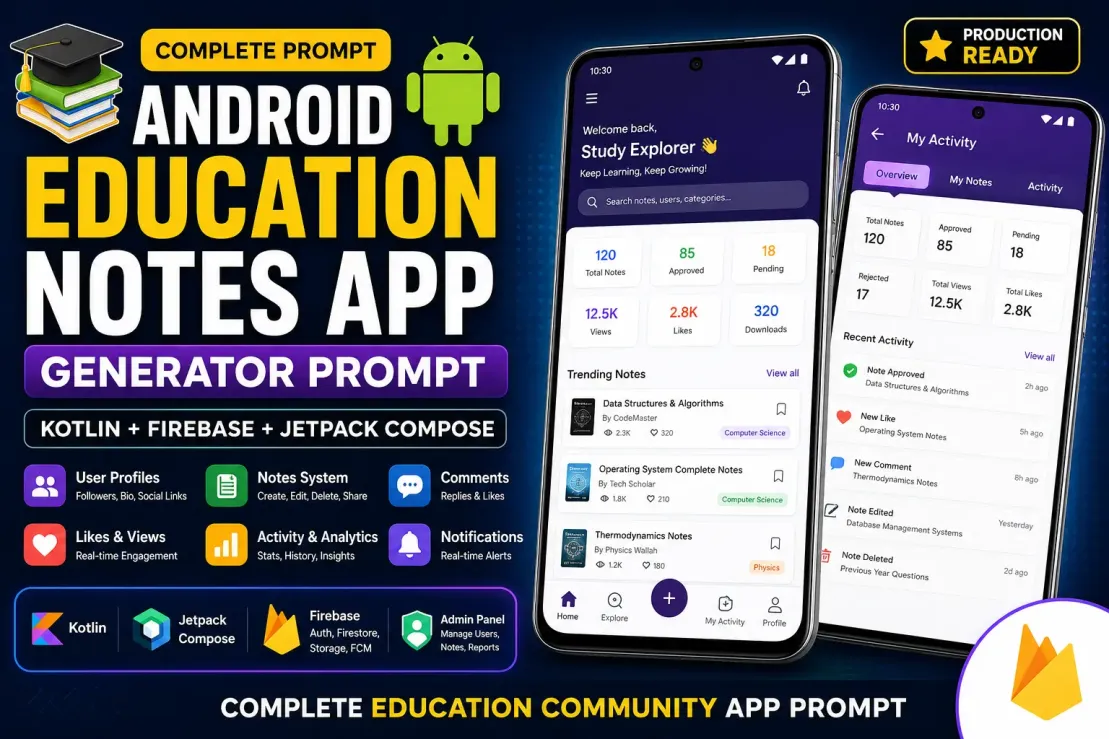
This prompt is designed to generate a complete production-ready Android Education Notes & Community Application using modern Android development practices.
The prompt instructs the AI to build an educational platform where users can create, manage, share, and interact with study notes while administrators can moderate content and manage the platform.
What the Prompt Covers
Authentication System
Creates a complete user authentication flow including:
Email signup and login
Google Sign-In
Email verification
Forgot password
Persistent login sessions
Secure user management
User Profile System
Builds advanced user profiles with:
Personal information
Profile and cover photos
Social media links
Bio and educational details
Followers and following system
Public profile pages
Notes Management
Allows users to:
Create notes
Edit notes
Delete notes
Save drafts
Submit notes for approval
Share notes
Download notes as PDFs
Bookmark content
Activity Tracking
Creates a complete activity dashboard showing:
Notes created
Notes edited
Notes deleted
Likes received
Comments received
Downloads received
Approval and rejection history
Comments & Engagement
Adds community interaction features:
Commenting
Replies
Comment editing
Comment deletion
Likes system
User engagement tracking
Search System
Implements advanced search functionality for:
Notes
Categories
Users
Tags
Trending System
Automatically identifies popular content based on:
Views
Likes
Comments
Downloads
User engagement
Admin Panel
Creates a complete moderation dashboard where administrators can:
Approve notes
Reject notes
Delete content
Manage users
Manage categories
Handle reports
Send notifications
Notification System
Adds notifications for:
Note approvals
Note rejections
New comments
New likes
New followers
Platform announcements
Reporting System
Allows users to report:
Notes
Comments
Inappropriate content
Admins can review and take action on reports.
PDF Download System
Enables:
PDF generation
Direct download to device
File sharing
Educational content distribution
Firebase Integration
Uses:
Firebase Authentication
Firestore Database
Firebase Storage
Firebase Cloud Messaging
for scalable backend functionality.
Modern UI/UX
Requires:
Jetpack Compose
Material 3
Modern card layouts
Smooth animations
Dark mode
Professional educational platform design
Performance & Stability
The prompt also instructs the AI to:
Fix compile errors
Fix navigation issues
Prevent infinite loading
Handle Firestore errors
Prevent listener leaks
Build successfully
Ideal Use Cases
This prompt is suitable for creating:
Education Notes Apps
Study Community Platforms
Exam Preparation Apps
Student Collaboration Apps
Knowledge Sharing Platforms
Blogging + Notes Applications
Learning Management Applications
Educational Social Networks
Expected Result
The final output should be a fully functional Android application with a professional design, Firebase backend integration, user-generated educational content, moderation tools, engagement features, and production-ready architecture.
📋 Main Prompt
Act as a Senior Android Architect, Firebase Architect, UX Designer, Product Manager, and Production-Level Kotlin Developer.
Build a complete modern Education Community App using:
* Kotlin
* Jetpack Compose
* MVVM
* Material 3
* Firebase Authentication
* Firebase Firestore
* Firebase Storage
* Firebase Cloud Messaging
* Navigation Compose
Important Rules:
1. Never create dummy functionality.
2. Never create placeholder screens.
3. Never show fake statistics.
4. Always use real Firestore data.
5. Fix all compile errors automatically.
6. Fix all unresolved references automatically.
7. Ensure project builds successfully.
8. Do not remove existing functionality unless explicitly requested.
9. Create missing files/classes/routes instead of deleting references.
10. Production-ready code only.
====================================================
AUTHENTICATION SYSTEM
=====================
Implement:
* Email Signup
* Email Login
* Google Sign In
* Email Verification
* Forgot Password
* Remember Login
* Logout
* Session Persistence
Requirements:
* Verification email must work correctly.
* User should not access main app until verified.
* Google Sign In must work using Firebase Authentication.
* Handle all Firebase exceptions properly.
* Show human-readable error messages.
====================================================
USER PROFILE SYSTEM
===================
Create advanced profile system.
Fields:
* Profile Photo
* Cover Photo
* Full Name
* Username
* Bio
* Education
* College
* School
* City
* State
* Country
* Website
* Facebook URL
* Instagram URL
* Telegram URL
* YouTube URL
* LinkedIn URL
* Twitter/X URL
* Email
* Join Date
Features:
* Edit Profile
* Public Profile
* Share Profile
* Follow Users
* Followers Count
* Following Count
====================================================
NOTES SYSTEM
============
Users can create notes.
Fields:
* Title
* Category
* Tags
* Rich Content
* Attachments
* PDF Upload
* Images
Features:
* Create Note
* Edit Note
* Delete Note
* Save Draft
* Submit For Approval
* Bookmark
* Share
* Report
* Download PDF
Status:
* Pending
* Approved
* Rejected
Rejected notes must show rejection reason.
====================================================
MY NOTES SYSTEM
===============
User must have:
My Notes Screen
Show:
* Total Notes
* Approved
* Pending
* Rejected
* Views
* Likes
* Comments
* Downloads
Each note must support:
* Edit
* Delete
* View Statistics
* Resubmit
====================================================
ACTIVITY SYSTEM
===============
Create activity history.
Track:
* Note Created
* Note Edited
* Note Deleted
* Note Approved
* Note Rejected
* Comment Received
* Like Received
* Download Received
* Follow Received
Show timeline.
Newest first.
====================================================
COMMENTS SYSTEM
===============
Features:
* Add Comment
* Reply Comment
* Delete Own Comment
* Edit Own Comment
* Report Comment
* Like Comment
Admin:
* Delete Any Comment
* Moderate Comments
====================================================
LIKES SYSTEM
============
Users can:
* Like Notes
* Unlike Notes
Real-time updates.
====================================================
TRENDING SYSTEM
===============
Trending must be automatic.
Algorithm based on:
* Views
* Likes
* Comments
* Downloads
* Recent Activity
Top-performing notes should appear in Trending.
Update automatically.
====================================================
SEARCH SYSTEM
=============
Implement production-level search.
Search:
* Notes
* Categories
* Users
* Tags
Requirements:
* Debounce search
* Prevent Firebase result overwrite
* Cancel previous searches
* No flickering
* No disappearing results
====================================================
ADMIN PANEL
===========
Admin Email configurable.
Admin Dashboard:
* Total Users
* Total Notes
* Pending Notes
* Approved Notes
* Rejected Notes
* Reports
* Comments
* Downloads
Admin Features:
* Approve Notes
* Reject Notes
* Delete Notes
* Delete Comments
* Ban Users
* Unban Users
* Delete Users
* Send Notifications
* Manage Categories
* View Reports
Before approval:
Admin must preview full note content.
====================================================
CATEGORIES SYSTEM
=================
Admin manages categories.
Features:
* Create Category
* Edit Category
* Delete Category
Used by Notes.
====================================================
NOTIFICATIONS
=============
Push notifications for:
* Note Approved
* Note Rejected
* New Comment
* New Like
* New Follower
* Admin Announcement
Admin can send:
* Global Notification
* Category Notification
====================================================
PDF SYSTEM
==========
Downloads must:
* Save directly to Downloads folder
* Show success notification
* Open PDF directly
Do not save to hidden paths.
====================================================
DATABASE REQUIREMENTS
=====================
Collections:
users
notes
comments
likes
downloads
activities
reports
categories
notifications
followers
Use indexes where needed.
Never crash because of missing Firestore indexes.
Handle:
FAILED_PRECONDITION
PERMISSION_DENIED
NETWORK_ERROR
Gracefully.
====================================================
UI / UX REQUIREMENTS
====================
Design must look like:
Premium Modern Education App.
Requirements:
* Material 3
* Modern Cards
* Glassmorphism
* Smooth Animations
* Professional Typography
* Beautiful Empty States
* Shimmer Loading
* Pull To Refresh
* Dark Mode
* Light Mode
No ugly layouts.
No placeholder UI.
====================================================
PERFORMANCE
===========
Prevent:
* Infinite loading
* Stuck loading
* Firebase listener leaks
* Duplicate listeners
* Recomposition issues
* Search overwriting results
Use:
* StateFlow
* collectAsStateWithLifecycle
* Proper ViewModels
* Proper Repository Pattern
====================================================
FINAL VALIDATION
================
Before finishing:
1. Fix all compile errors.
2. Fix all navigation errors.
3. Fix all Firebase issues.
4. Fix all Firestore issues.
5. Fix all unresolved references.
6. Verify every screen works.
7. Verify every button works.
8. Verify every CRUD operation works.
9. Verify admin panel works.
10. Verify app builds successfully.
Build must finish with:
BUILD SUCCESSFUL
and
0 compile errors.
💡 Explanation
🌟 Benefits
Benefits of This Prompt
Generates a complete Android Education App architecture instead of isolated screens.
Saves weeks or months of development time by creating major modules automatically.
Uses modern Android technologies such as Kotlin, Jetpack Compose, MVVM, and Material 3.
Includes Firebase Authentication for secure user login and account management.
Provides a ready-made Firestore database structure for scalable data storage.
Creates a professional Admin Panel for content moderation and platform management.
Supports user-generated educational content through notes creation and sharing.
Includes comments, likes, bookmarks, and engagement systems.
Enables PDF downloads and content sharing features.
Implements real-time notifications and activity tracking.
Provides advanced user profiles with social links and follower systems.
Includes search, filtering, and trending content mechanisms.
Supports content approval workflows for quality control.
Generates a modern and professional UI/UX suitable for production apps.
Encourages clean architecture and scalable code organization.
Reduces common development mistakes by enforcing error handling and validation.
Helps build apps suitable for:
Exam preparation platforms
Study communities
Notes-sharing apps
Educational blogging platforms
Learning management systems
Produces a more maintainable and extensible codebase.
Can serve as a foundation for both startup projects and educational businesses.
Creates an app structure that can be expanded with future features such as courses, quizzes, subscriptions, AI assistants, and premium content.
Generates a complete Android Education App architecture instead of isolated screens.
Saves weeks or months of development time by creating major modules automatically.
Uses modern Android technologies such as Kotlin, Jetpack Compose, MVVM, and Material 3.
Includes Firebase Authentication for secure user login and account management.
Provides a ready-made Firestore database structure for scalable data storage.
Creates a professional Admin Panel for content moderation and platform management.
Supports user-generated educational content through notes creation and sharing.
Includes comments, likes, bookmarks, and engagement systems.
Enables PDF downloads and content sharing features.
Implements real-time notifications and activity tracking.
Provides advanced user profiles with social links and follower systems.
Includes search, filtering, and trending content mechanisms.
Supports content approval workflows for quality control.
Generates a modern and professional UI/UX suitable for production apps.
Encourages clean architecture and scalable code organization.
Reduces common development mistakes by enforcing error handling and validation.
Helps build apps suitable for:
Exam preparation platforms
Study communities
Notes-sharing apps
Educational blogging platforms
Learning management systems
Produces a more maintainable and extensible codebase.
Can serve as a foundation for both startup projects and educational businesses.
Creates an app structure that can be expanded with future features such as courses, quizzes, subscriptions, AI assistants, and premium content.
✅ Tips
Tips for Best Results
Be as specific as possible when describing features and requirements.
Define the complete app structure before generating code.
Mention the exact technology stack (Kotlin, Compose, Firebase, MVVM, etc.).
Ask the AI to audit existing code first before making changes.
Request an implementation plan before code generation.
Require the AI to list all files it will create or modify.
Use real Firestore collections and avoid dummy or placeholder data.
Always ask for proper error handling and loading states.
Instruct the AI to fix compile errors before adding new features.
Generate features module-by-module rather than everything at once.
Test each feature after implementation before moving to the next one.
Ask for scalable architecture instead of quick fixes.
Keep authentication, database, and navigation separated.
Use repositories and ViewModels for all Firestore operations.
Require Firestore indexes to be identified and documented.
Avoid generating duplicate screens or duplicate navigation routes.
Use meaningful Firestore collection names and document structures.
Request production-ready UI instead of demo layouts.
Ask for empty states, loading states, and error states.
Use Material 3 design guidelines for consistency.
Add analytics and activity tracking from the beginning.
Keep admin functionality separate from user functionality.
Use role-based access control for admin features.
Require confirmation dialogs before destructive actions.
Store all user-generated content in structured Firestore collections.
Validate forms before saving data.
Implement search using debouncing and query optimization.
Optimize Firestore reads to reduce costs.
Build one feature completely before starting another.
Keep backups using Git before accepting large AI-generated changes.
Review all generated code before applying changes.
Never accept large refactors without reviewing the implementation plan.
Verify that every generated feature actually works, not just compiles.
Always end major prompts with:
Fix all compile errors
Fix runtime errors
Verify functionality
Ensure BUILD SUCCESSFUL
Explain all modified files
For large projects, follow this order:
Authentication
Firestore Setup
Navigation
User Profiles
Notes System
Comments & Likes
Search
Notifications
Admin Panel
UI/UX Polish
Performance Optimization
Testing & Bug Fixing
These practices usually produce much better results from Gemini, ChatGPT, Claude, Cursor, Continue, and other AI coding assistants.
Be as specific as possible when describing features and requirements.
Define the complete app structure before generating code.
Mention the exact technology stack (Kotlin, Compose, Firebase, MVVM, etc.).
Ask the AI to audit existing code first before making changes.
Request an implementation plan before code generation.
Require the AI to list all files it will create or modify.
Use real Firestore collections and avoid dummy or placeholder data.
Always ask for proper error handling and loading states.
Instruct the AI to fix compile errors before adding new features.
Generate features module-by-module rather than everything at once.
Test each feature after implementation before moving to the next one.
Ask for scalable architecture instead of quick fixes.
Keep authentication, database, and navigation separated.
Use repositories and ViewModels for all Firestore operations.
Require Firestore indexes to be identified and documented.
Avoid generating duplicate screens or duplicate navigation routes.
Use meaningful Firestore collection names and document structures.
Request production-ready UI instead of demo layouts.
Ask for empty states, loading states, and error states.
Use Material 3 design guidelines for consistency.
Add analytics and activity tracking from the beginning.
Keep admin functionality separate from user functionality.
Use role-based access control for admin features.
Require confirmation dialogs before destructive actions.
Store all user-generated content in structured Firestore collections.
Validate forms before saving data.
Implement search using debouncing and query optimization.
Optimize Firestore reads to reduce costs.
Build one feature completely before starting another.
Keep backups using Git before accepting large AI-generated changes.
Review all generated code before applying changes.
Never accept large refactors without reviewing the implementation plan.
Verify that every generated feature actually works, not just compiles.
Always end major prompts with:
Fix all compile errors
Fix runtime errors
Verify functionality
Ensure BUILD SUCCESSFUL
Explain all modified files
For large projects, follow this order:
Authentication
Firestore Setup
Navigation
User Profiles
Notes System
Comments & Likes
Search
Notifications
Admin Panel
UI/UX Polish
Performance Optimization
Testing & Bug Fixing
These practices usually produce much better results from Gemini, ChatGPT, Claude, Cursor, Continue, and other AI coding assistants.