Complete resume builder Guide
- Free Resume Builder Online – Create a Professional ATS-Friendly Resume in Minutes
- Why Use an Online Resume Builder?
- Create a Professional Resume Without Starting From Scratch
- Free Resume Builder for Freshers and Students
- Make an ATS-Friendly Resume
- Write a Strong Professional Summary
- Add Skills That Match the Job
- Don't Forget Projects
- Resume Templates Matter, But Content Matters More
- Create Your Resume Online and Download It as PDF
- Why ProAiNex Resume Builder?
- Who Can Use This Resume Maker?
- Tips for Creating a Better Resume
- Final Thoughts
Free Resume Builder Online – Create a Professional ATS-Friendly Resume in Minutes
Finding a good job is already challenging. Writing a resume should not make it harder.
Your resume is often the first thing a recruiter sees, and in many cases, you only get a few seconds to make a strong first impression. A well-organized resume can quickly show your education, experience, skills, projects, and achievements. On the other hand, a confusing layout, missing information, or poorly written description can make even a qualified candidate look less suitable for a job.
That is where a free resume builder can make the process much easier.
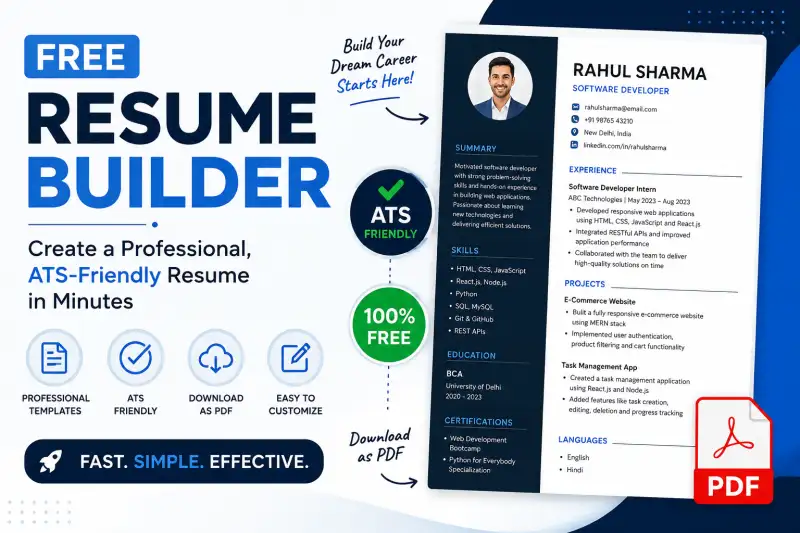
With the ProAiNex Resume Builder, you can create a professional resume online by entering your information, adding your experience and skills, checking the preview, and downloading your resume as a PDF. The tool is designed to make resume creation simple for students, freshers, experienced professionals, freelancers, and job seekers.
Why Use an Online Resume Builder?
Creating a resume from scratch in a word processor can take a lot of time. You have to think about font sizes, spacing, headings, alignment, page layout, and how to organize different sections.
An online resume builder takes much of that formatting work out of your hands.
Instead of spending hours adjusting the design, you can focus on the information that actually matters to recruiters. You can add your personal details, professional summary, work experience, education, projects, core skills, certifications, languages, and other relevant information.
A resume builder is especially useful when you are applying for several jobs because you can create a structured resume and then customize the content according to the position you are applying for.
Create a Professional Resume Without Starting From Scratch
One of the biggest problems people face while making a resume is simply not knowing where to start.
Should you write an objective? How long should the summary be? Where should you mention projects? What skills should you include? How should you describe previous work?
A good resume maker gives you a clear structure.
The ProAiNex Resume Builder provides dedicated sections for personal information, professional summary, experience, education, projects, core skills, certifications, languages, custom fields, and even an optional e-signature.
This makes the process straightforward:
- Enter your basic information.
- Add your target job role.
- Write or generate your professional summary.
- Add your education and experience.
- Mention important projects.
- Add relevant technical and soft skills.
- Include certifications and languages.
- Review the resume preview.
- Download your completed resume as a PDF.
You do not need to be a graphic designer or an expert in document formatting.
Free Resume Builder for Freshers and Students
For freshers, making a resume can feel particularly difficult because they may not have years of professional experience.
But a fresher resume does not have to be empty.
Students can highlight their education, internships, academic projects, certifications, technical skills, volunteer experience, achievements, workshops, and relevant coursework.
For example, a computer science graduate applying for a software development position could highlight:
- Python
- Java
- JavaScript
- HTML and CSS
- SQL
- Git
- Web development projects
- Internship experience
- Academic projects
- Relevant certifications
The key is to focus on information that matches the job.
A resume builder for freshers can make this easier by providing separate sections for projects, education, skills, certifications, and other details that may be more important than traditional work experience.
ALSO READ: PDF EDITOR FREE FOR ALL, AND HOW TO USE
Make an ATS-Friendly Resume
One term that job seekers hear frequently today is ATS-friendly resume.
ATS stands for Applicant Tracking System. Many organizations use software to organize and screen applications before recruiters review candidates. This makes resume structure and relevant keywords increasingly important.
An ATS-friendly resume should generally be easy for software and humans to read. Avoid unnecessary graphics, complicated layouts, excessive decorative elements, and information that is difficult to extract.
Instead, use clear section headings and straightforward descriptions.
Your resume should also contain relevant keywords from the job description—but only when those keywords genuinely describe your skills and experience.
For example, if a job description asks for "Python, SQL, data analysis and Excel," a candidate with those skills should naturally mention them in the appropriate skills or experience sections.
This is one reason an ATS resume builder can be useful. It encourages a structured approach to resume creation while allowing you to focus on relevant career information.
Write a Strong Professional Summary
The professional summary is one of the first sections recruiters may read.
Instead of writing something generic such as:
"I am a hardworking and dedicated person looking for a challenging opportunity."
try to explain who you are, what you specialize in, and what value you can bring.
For example:
"BCA graduate with hands-on experience in web development and database management, skilled in HTML, CSS, JavaScript and SQL, with academic project experience in developing responsive web applications."
Notice the difference.
The second version gives the recruiter useful information immediately.
The ProAiNex Resume Builder includes a Professional Summary section and also provides an AI generation option to help users get started.
You should still review and personalize any generated content so that it accurately represents your actual background.
Add Skills That Match the Job
Your skills section should not become a long list of everything you have ever learned.
Instead, prioritize skills that are relevant to the job.
For a software developer, these could include programming languages, frameworks, databases, cloud technologies, development tools, and relevant methodologies.
For a marketing position, skills could include:
- Digital marketing
- SEO
- Content marketing
- Social media marketing
- Google Analytics
- Email marketing
- Keyword research
For an accounting role, relevant skills might include:
- MS Excel
- Accounting software
- GST
- Bookkeeping
- Financial reporting
- Accounts payable and receivable
A professional CV maker makes it easier to organize these skills into a dedicated section instead of placing them randomly throughout the document.
Don't Forget Projects
Projects can make a major difference, especially for students and fresh graduates.
If you do not have much professional experience, projects can demonstrate what you can actually do.
Instead of simply writing:
"Made a website."
try something more informative:
"Developed a responsive e-commerce website using HTML, CSS and JavaScript with product filtering, shopping cart functionality and mobile-friendly navigation."
Whenever possible, explain:
What you built + how you built it + what the result was.
This approach gives recruiters a much better understanding of your practical abilities.
The ProAiNex Resume Builder includes a dedicated Projects section, allowing users to showcase academic, personal, freelance, or professional projects.
Resume Templates Matter, But Content Matters More
A beautiful resume template can make your application look polished, but design alone will not get you hired.
Your resume should first be:
- Easy to read
- Well structured
- Relevant to the position
- Free from spelling and grammar mistakes
- Focused on measurable achievements
- Simple enough for recruiters to scan quickly
The best professional resume template is one that supports your content rather than distracting from it.
Think of your resume as a marketing document for your career. The purpose is not to fill the page with design elements. The purpose is to communicate your qualifications clearly.
Create Your Resume Online and Download It as PDF
After entering your information, reviewing each section is important.
Look for:
- Incorrect phone numbers
- Spelling mistakes
- Missing dates
- Inconsistent job titles
- Incorrect email addresses
- Unnecessary information
- Duplicate skills
- Broken formatting
- Long paragraphs
The ProAiNex builder provides a preview before downloading, and the completed resume can be downloaded as a PDF.
PDF is a convenient format for job applications because the document generally maintains its layout across different devices.
Why ProAiNex Resume Builder?
The goal of a resume builder should be simple: make creating a professional resume faster and less stressful.
ProAiNex brings resume creation into the same collection of free online productivity tools that includes PDF, image, SEO, business, developer, and other utilities. The platform says its tools are designed around speed, privacy, no registration, and free access.
The Resume Builder itself lets users enter their career information, organize different resume sections, preview the result, and download the final document as a PDF.
For someone who simply wants to create a resume online, this can be much more convenient than manually designing a document from an empty page.
Who Can Use This Resume Maker?
A resume builder is useful for almost anyone looking for a new opportunity.
It can be used by:
- Freshers
- College students
- Experienced professionals
- Job seekers
- Interns
- Freelancers
- Career changers
- Remote workers
- Software developers
- Teachers
- Accountants
- Designers
- Marketing professionals
- Administrative professionals
- Business professionals
Whether you are preparing your first CV or updating an existing resume after several years, having a structured builder can save time.
Tips for Creating a Better Resume
Before sending your resume to an employer, keep these simple tips in mind.
Tailor your resume: Don't send exactly the same resume to every company. Adjust relevant skills, projects, and achievements according to the position.
Use numbers: Whenever possible, quantify achievements. For example, "Reduced processing time by 20%" is stronger than "Improved processing."
Keep it relevant: Remove information that does not contribute to your application.
Use clear language: Avoid unnecessarily complicated words.
Check everything: One small typo in your email address or phone number can create a serious problem.
Keep learning: Update your resume whenever you gain a new certification, complete a project, learn a skill, or achieve something professionally.
Final Thoughts
Your resume does not need to be complicated. It needs to be clear, relevant, professional, and easy to understand.
A free online resume builder can remove much of the frustration involved in formatting a resume and help you concentrate on presenting your actual skills and experience.
Whether you are a fresher searching for your first job, a professional planning a career move, or a student preparing for internships and campus placements, ProAiNex Resume Builder gives you a simple way to organize your information, preview your resume, and create a professional PDF for your next application.
🔥 Useful Tools for You
If you have been putting off updating your resume because you do not know where to begin, this is a good time to start. Add your details, highlight what you can do, keep the information relevant, and create a resume that represents your career in a clear and professional way.
