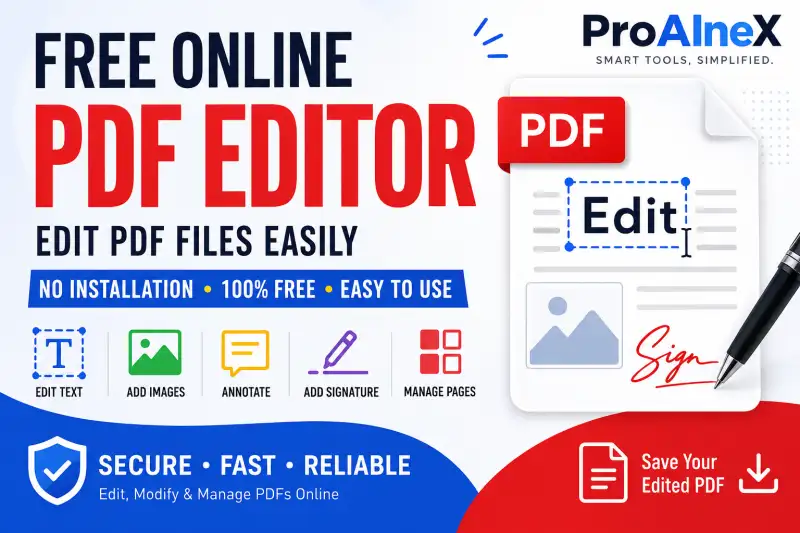
Complete edit PDF online Guide
- Free Online PDF Editor – Edit PDF Files Easily with ProAIneX
- What Is a PDF Editor?
- Edit PDF Online for Free with ProAIneX
- Why Use an Online PDF Editor?
- 1. No Complicated Installation
- 2. Useful for Quick Changes
- 3. Easy for Students
- 4. Helpful for Job Applications
- 5. Useful for Office Work
- What Can You Do with a PDF Editor?
- Add Text to a PDF
- Add Images
- Annotate Documents
- Highlight Important Information
- Draw and Mark Up PDFs
- Add a Signature
- How to Edit a PDF Online
- Free PDF Editor vs Traditional PDF Software
- Who Can Use ProAIneX PDF Editor?
- Why ProAIneX?
- Tips for Editing PDFs Safely
- Frequently Asked Questions
- Is ProAIneX PDF Editor free?
- Can I edit a PDF without installing software?
- Can I add text to a PDF?
- Can I edit PDFs on a laptop?
- Is an online PDF editor useful for students?
- Can I add a signature to a PDF?
- Edit Your PDF Without the Hassle
Free Online PDF Editor – Edit PDF Files Easily with ProAIneX
PDF files are everywhere. From resumes and applications to forms, notes, study material, invoices, certificates, and business documents, we use PDFs almost every day. The problem starts when you need to make a small change to a PDF.
Maybe you want to correct a word, add some text, insert an image, highlight an important section, add a signature, or make a few changes before sharing the document. Normally, this means installing complicated PDF software or paying for a premium subscription.
ProAIneX PDF Editor provides a simpler alternative.
With the free online PDF editor, you can work with PDF documents directly from your browser without depending on expensive desktop software. It is designed for students, job seekers, teachers, office users, businesses, and anyone who occasionally needs to modify a PDF.
What Is a PDF Editor?
A PDF editor is a tool that allows you to make changes or additions to an existing PDF document.
Unlike a normal PDF viewer, which mainly allows you to open and read a document, a PDF editor gives you tools to work with the content.
Depending on the editing features available, you may be able to:
- Add or modify text
- Insert images
- Draw on PDF pages
- Highlight important information
- Add shapes and annotations
- Add signatures
- Fill forms
- Rearrange or manage pages
- Make visual corrections
- Save the edited document as a PDF
This can be particularly useful when you receive a PDF that needs a quick correction but you do not have the original editable Word or document file.
Edit PDF Online for Free with ProAIneX
ProAIneX PDF Editor is built for people who want a straightforward way to work with PDF documents online.
Instead of downloading a large application just to make a small change, you can use an online PDF editing workflow from your browser.
This is especially convenient when you are working from different devices. Whether you are using a computer, laptop, or another supported device, an online PDF editor can make basic PDF tasks much easier.
The goal is simple: open your PDF, make the required changes, and save the edited document.
ALSO READ: IMAGE TO PDF READER HOW TO
Why Use an Online PDF Editor?
There are several reasons why online PDF editing tools have become popular.
1. No Complicated Installation
One of the biggest advantages is convenience. You do not necessarily need to install a separate desktop application just to make a quick PDF edit.
For occasional PDF tasks, an online editor can save time and storage space.
2. Useful for Quick Changes
Imagine you have a PDF application and notice that one piece of information needs to be added.
Instead of recreating the entire document, you can open it in a PDF editor and make the required change.
This is useful for everyday documents, forms, notes, assignments, reports, and other files.
3. Easy for Students
Students frequently work with PDFs for assignments, study material, question papers, notes, and applications.
A PDF editor can be useful for adding notes, highlighting important information, marking sections, or making other changes to study documents.
4. Helpful for Job Applications
Job seekers often receive or download documents in PDF format.
If you need to add information, annotate a document, prepare a form, or make a small correction, having access to an online PDF editor can be convenient.
5. Useful for Office Work
Businesses deal with PDFs every day.
Invoices, reports, forms, agreements, presentations, applications, and internal documents are often shared as PDF files. A browser-based editor can be useful when a document requires a quick update.
What Can You Do with a PDF Editor?
The exact features available depend on the tool, but a modern PDF editing workflow can support many common tasks.
Add Text to a PDF
Sometimes a PDF does not contain a field for the information you need to enter.
Adding text allows you to place additional information directly on the page.
For example, you might need to add:
- A name
- Date
- Address
- Reference number
- Notes
- Additional instructions
Add Images
Images can also be useful when editing PDFs.
You may need to insert a logo, photograph, scanned element, or another visual into a document.
Annotate Documents
Annotations are especially useful for reviewing documents.
You can use them to point out important information, add comments, mark sections, or make notes while reviewing a PDF.
Highlight Important Information
If you are studying from a PDF or reviewing a long document, highlighting can make important information easier to find later.
Students can use highlights for definitions, formulas, dates, important facts, and other examination material.
Draw and Mark Up PDFs
Drawing tools can be useful when you want to mark something directly on a PDF page.
For example, teachers, students, designers, and office professionals may need to circle information, underline text, or draw simple marks.
Add a Signature
Many documents require signatures.
A PDF editor can make the process more convenient by allowing you to add a signature to a document instead of printing the PDF, signing it manually, and scanning it again.
For legally important documents, however, users should always check whether the type of electronic signature being used satisfies the applicable requirements.
How to Edit a PDF Online
Using a PDF editor should not feel complicated.
A typical workflow with an online PDF editor looks like this:
Step 1: Open the PDF Editor
Go to the ProAIneX PDF editing tool from your browser.
Step 2: Upload Your PDF
Select the PDF file you want to edit.
Step 3: Make Your Changes
Use the available editing and annotation tools to add text, images, marks, signatures, or other required elements.
Step 4: Review the Document
Before saving, carefully check the edited pages. Make sure text is positioned correctly and nothing important has been accidentally covered.
Step 5: Save the Edited PDF
Once everything looks correct, save or export your edited PDF.
The entire process can be completed without the traditional print-edit-scan cycle.
Free PDF Editor vs Traditional PDF Software
| Feature | Online PDF Editor | Traditional Desktop Software |
|---|---|---|
| Installation | Usually not required | Usually required |
| Quick edits | Convenient | Convenient |
| Device flexibility | High | Depends on installation |
| Storage requirement | Low | May require software storage |
| Accessibility | Browser-based | Application-based |
| Occasional use | Very suitable | Can be unnecessary |
| Basic annotations | Often available | Usually available |
| Learning curve | Generally simple | Can vary significantly |
For users who only need occasional PDF editing, an online solution can be a practical choice.
Who Can Use ProAIneX PDF Editor?
A free PDF editor can be useful for almost anyone who regularly handles digital documents.
Students: Edit notes, annotate study material, and mark important sections.
Teachers: Add comments, marks, or annotations to educational documents.
Job Seekers: Work with application forms and other PDF documents.
Freelancers: Make quick changes to proposals, invoices, and client documents.
Office Professionals: Handle reports, forms, and business PDFs.
Small Businesses: Make simple document updates without purchasing expensive software.
General Users: Perform occasional PDF editing tasks without installing a dedicated application.
Why ProAIneX?
The biggest advantage of a good online PDF tool is simplicity.
People do not always need a huge professional software package. Sometimes they simply need to edit a PDF quickly and move on with their work.
ProAIneX focuses on providing useful online tools in one convenient place. Its PDF tools are designed around common document-related tasks, making them useful for students, professionals, creators, and everyday internet users.
If you regularly work with documents, having an accessible online PDF editor can save time and make your workflow easier.
Tips for Editing PDFs Safely
Before uploading an important document to any online service, it is worth considering the sensitivity of the information inside it.
Avoid uploading confidential documents unless you understand the service's privacy and file-handling practices.
For sensitive files such as identity documents, financial records, confidential business information, or private legal documents, always review the relevant privacy information before using an online tool.
It is also a good habit to keep a copy of your original PDF before making significant changes.
Frequently Asked Questions
Is ProAIneX PDF Editor free?
ProAIneX provides free online tools for PDF-related tasks. Check the current tool page for the latest available features and usage limits.
Can I edit a PDF without installing software?
Yes. An online PDF editor can allow you to perform supported editing tasks directly through a web browser without installing traditional desktop PDF software.
Can I add text to a PDF?
Yes, where the editor provides text-editing or text-annotation functionality, you can add convert txt to pdf pages.
Can I edit PDFs on a laptop?
Yes. A browser-based PDF editor can be accessed from a compatible laptop or desktop browser.
Is an online PDF editor useful for students?
Absolutely. Students can use PDF editing tools for annotating notes, highlighting important information, adding text, and working with digital study material.
Can I add a signature to a PDF?
If the PDF editor provides signature functionality, you can add a signature to supported documents. For legally significant documents, make sure the signature method meets the applicable requirements.
Edit Your PDF Without the Hassle
PDF editing should not require complicated software every time you need to make a small change.
Whether you are a student editing study material, a professional updating a document, a job seeker preparing an application, or simply someone who needs to add a few details to a PDF, an online PDF editor can make the process much easier.
ProAIneX PDF Editor gives you a convenient way to work with PDF documents online and handle common editing tasks from your browser.
Instead of printing a document, writing on it, scanning it, and converting it back into a PDF, try a digital workflow that keeps everything in one place.
🔥 Useful Tools for You
Need to edit a PDF? Open the ProAIneX PDF Editor, upload your document, make your changes, review the result, and save your updated PDF.
