Complete Remove Pdf Guide
- Remove PDF Pages Online – Delete Unwanted Pages from PDF Easily
- What Does “Remove PDF Pages” Mean?
- Why Do People Need to Delete Pages from PDF?
- 1. Removing Blank Pages
- 2. Removing Unnecessary Information
- 3. Preparing Study Material
- 4. Removing Duplicate Pages
- 5. Creating Professional Documents
- How to Remove PDF Pages Online with Proainex
- Step 1: Open the Remove PDF Pages Tool
- Step 2: Upload Your PDF
- Step 3: Select the Unwanted Pages
- Step 4: Remove the Selected Pages
- Step 5: Get Your Updated PDF
- Remove PDF Pages Without Installing Software
- Can You Remove Multiple Pages from a PDF?
- Remove Blank Pages from PDF
- Remove PDF Pages on Mobile
- Is Removing PDF Pages Different from Splitting a PDF?
- Benefits of Using a PDF Page Remover
- Saves Time
- Easy to Use
- No Advanced Skills Required
- Useful for Large Documents
- Creates Cleaner PDFs
- Convenient
- Tips Before You Remove Pages from a PDF
- Why Use Proainex for PDF Tools?
- Final Thoughts
delete pages from PDF Online – Delete Unwanted Pages from PDF Easily
PDF files are great when you want to share documents without worrying about formatting changes. But there is one common problem: sometimes a PDF contains pages that you simply do not need.
Maybe you downloaded a study material PDF and want to remove the answer pages. Maybe a business document contains an outdated page. Or perhaps you scanned a complete document and accidentally included a few blank pages. In all these situations, removing PDF pages can save you time and help you create a cleaner document.
The good news is that you do not need complicated PDF software to do this. With an online PDF page remover, you can quickly select unwanted pages and delete them from your document.
If you are looking for a simple way to remove PDF pages online, Proainex provides a convenient tool for doing exactly that.
What Does “Remove PDF Pages” Mean?
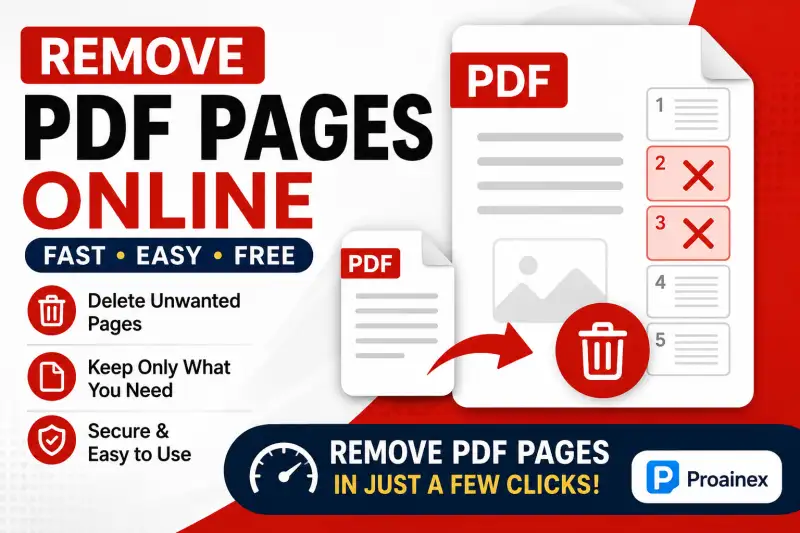
Remove PDF pages means deleting one or more selected pages from an existing PDF document while keeping the remaining pages together as a new PDF file.
For example, suppose you have a 50-page PDF but only need pages 1–35. Instead of keeping the entire document, you can use a PDF page remover to delete pages 36–50.
Similarly, if pages 5, 12 and 20 are unnecessary, you can remove only those pages.
This is particularly useful for:
- Removing blank PDF pages
- Deleting duplicate pages
- Removing unwanted information
- Creating shorter documents
- Sharing only relevant pages
- Cleaning scanned PDFs
- Preparing documents for printing
- Reducing unnecessary PDF content
Why Do People Need to Delete Pages from PDF?
There are many situations where deleting pages from a PDF becomes useful.
1. Removing Blank Pages
Scanned documents sometimes contain empty pages because of scanning errors. Keeping these pages makes the document look untidy and can increase its length unnecessarily.
A PDF page remover lets you quickly identify and delete those blank pages.
2. Removing Unnecessary Information
You may have a large document containing sections that are not relevant to the person receiving it. Instead of sending the complete PDF, you can remove unnecessary pages and share a focused version.
3. Preparing Study Material
Students frequently download large PDFs containing multiple chapters, answer keys, advertisements, indexes or additional material.
If you only need selected chapters, you can remove unwanted pages and create a customized study PDF.
4. Removing Duplicate Pages
Sometimes pages are accidentally scanned or added twice. Rather than recreating the entire PDF, simply delete the duplicate pages.
5. Creating Professional Documents
For office reports, proposals, applications and presentations, unnecessary pages can make the final document look unprofessional. Removing extra pages helps you maintain a clean and organized PDF.
How to Remove PDF Pages Online with Proainex
One of the biggest advantages of using an online tool is simplicity. You do not need to install a large PDF editing application on your computer.
With the Proainex Remove PDF Pages tool, the process can be completed in a few straightforward steps.
Step 1: Open the Remove PDF Pages Tool
Open the Remove PDF Pages tool on Proainex and prepare the PDF you want to edit.
Step 2: Upload Your PDF
Select your PDF file and upload it to the tool.
Once the document is uploaded, its pages can be displayed so that you can identify which pages you want to remove.
Step 3: Select the Unwanted Pages
Look through the PDF page previews and select the pages you no longer need.
Be careful while selecting pages, especially when working with important documents.
Step 4: Remove the Selected Pages
After selecting the unwanted pages, use the remove/delete option. The tool processes the document and removes the selected pages.
Step 5: Get Your Updated PDF
Once the process is complete, you can save the newly created PDF containing only the pages you want.
The entire process is much easier than manually recreating a document from scratch.
Remove PDF Pages Without Installing Software
One reason people prefer an online PDF page remover is that there is no need to install additional software.
Traditional PDF editing applications can sometimes be large, expensive or complicated for users who only need to perform a simple task.
If your only requirement is to delete pages from PDF, an online tool can be a much more convenient option.
You can access the tool through a browser and work with your document without setting up a complicated PDF editing program.
This is especially useful when you are working from a different computer, using a public system, or simply want to make a quick edit.
ALSO READ: HASHTAG GENERATOR FOR INSTAGRAM USERS
Can You Remove Multiple Pages from a PDF?
Yes, removing multiple unwanted pages is one of the main reasons to use a dedicated PDF page remover.
For example, imagine you have a 100-page PDF and want to remove 10 unnecessary pages. You don't have to delete the pages one at a time by creating a completely new document.
Instead, you can select the unwanted pages and remove them from the PDF.
This makes the process particularly useful for large documents such as:
- E-books
- Study notes
- Research papers
- Office reports
- Manuals
- Scanned documents
- Question papers
- Government documents
- Business presentations
Remove Blank Pages from PDF
Removing blank pages from PDF is another very common requirement.
Blank pages may appear because of:
- Incorrect scanning
- Double-sided scanning
- Printer settings
- Conversion errors
- Document formatting
- Accidental page insertion
A few unnecessary blank pages may not seem like a big problem, but they can make a long PDF difficult to navigate.
For students, teachers, businesses and professionals, keeping a PDF properly organized can make a significant difference.
Before removing a blank page, however, make sure it is genuinely unnecessary. Some documents intentionally contain blank pages for formatting or printing purposes.
Remove PDF Pages on Mobile
Another advantage of online PDF tools is accessibility.
If you are using a smartphone or tablet, you may not want to install a dedicated PDF editing application just to delete a few pages.
An online PDF page remover can be useful in such situations because you can access the tool through a browser.
Whether you are using a computer, laptop, tablet or smartphone, the basic process remains similar: upload the document, select unwanted pages, remove them and save the updated PDF.
This makes remove PDF pages online a practical option for users who frequently work with documents on different devices.
Is Removing PDF Pages Different from Splitting a PDF?
Yes, these two PDF operations are related but different.
Removing PDF pages means deleting selected pages from an existing document.
Splitting a PDF generally means dividing one PDF into two or more separate PDF files.
For example:
- A 30-page PDF → remove pages 10–15 → one smaller PDF remains.
- A 30-page PDF → split pages 1–10, 11–20 and 21–30 → three separate PDFs are created.
Knowing the difference can help you choose the right PDF tool for your task.
Benefits of Using a PDF Page Remover
A dedicated PDF page remover online can make document management considerably easier.
Saves Time
You don't need to recreate the entire document just because a few pages are unnecessary.
Easy to Use
The process is generally based on selecting pages and removing them.
No Advanced Skills Required
You don't need professional PDF editing knowledge.
Useful for Large Documents
You can remove multiple unwanted pages from lengthy PDFs.
Creates Cleaner PDFs
The final document contains only the information you actually need.
Convenient
An online tool can be accessed whenever you need it without installing additional software.
Tips Before You Remove Pages from a PDF
Although deleting pages is simple, it is always worth taking a few precautions.
Check the page numbers carefully. Make sure you are deleting the correct pages.
Keep an original copy. If the document is important, save the original PDF before making changes.
Review the final document. After removing pages, quickly check that the remaining pages are in the correct order.
Check important references. Removing one page could sometimes affect information that is referenced elsewhere in the document.
Use a clear filename. Instead of overwriting your original file, save the edited version with a name such as document-cleaned.pdf.
Why Use Proainex for PDF Tools?
When you need to perform a simple PDF task, you don't necessarily need complicated desktop software.
Proainex is designed to provide useful online tools that make common document-related tasks easier. If your goal is simply to remove pages from PDF, the dedicated tool can help you complete that task without unnecessary complexity.
The idea is straightforward: upload your document, select what you don't need, remove it, and continue with a cleaner PDF.
For users who regularly work with documents, having quick access to tools such as a PDF page remover, PDF converter and other PDF utilities can make everyday document management much easier.
Final Thoughts
Removing unwanted pages from a PDF may seem like a small task, but it can be extremely useful when you work with study materials, scanned documents, reports, forms or business files.
Instead of keeping unnecessary pages in a document, you can use a remove PDF pages online tool to create a cleaner and more focused file.
Whether you want to delete pages from PDF, remove blank pages, eliminate duplicate pages or shorten a large document, an online PDF page remover can save both time and effort.
🔥 Useful Tools for You
With Proainex, the process is designed to be simple enough for everyday users. So, the next time you find yourself with a PDF containing pages you don't need, you don't have to start over—just remove the unwanted pages and keep the document you actually need.
