Complete Seo Tools: Guide
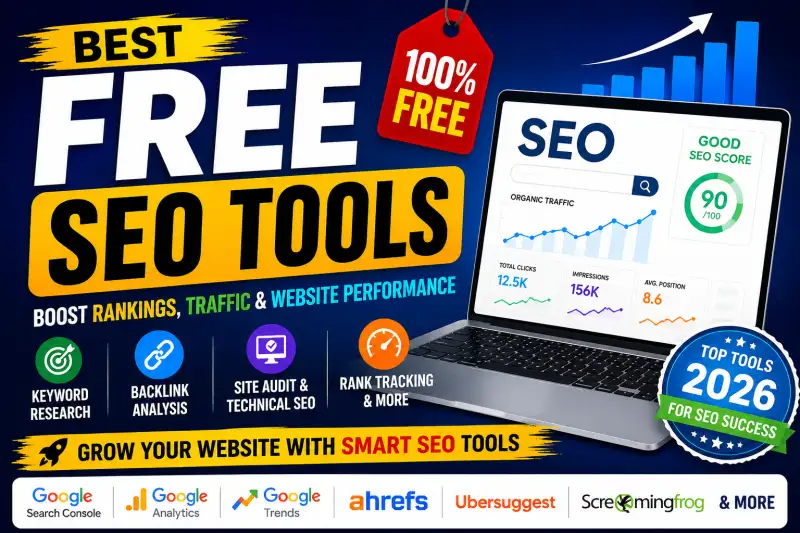
- Free SEO Tools: The Best Tools to Grow Your Website in Google Search
- Why SEO Tools Are Important
- 1. Google Search Console
- 2. Google Keyword Planner
- 3. Google Analytics
- 4. Google PageSpeed Insights
- 5. Google Trends
- 6. Bing Webmaster Tools
- 7. Ahrefs Webmaster Tools
- 8. Ubersuggest
- 9. Screaming Frog SEO Spider
- 10. AnswerThePublic
- 11. SEO Minion
- 12. Rank Tracking Tools
- How to Use Free SEO Tools Together
- Focus on Search Intent, Not Just Keywords
- Free SEO Tools Can Take Your Website a Long Way
Free SEO Tools: The Best Tools to Grow Your Website in Google Search
SEO can feel complicated when you are just starting out. One day you are checking keywords, the next day you are looking at backlinks, page speed, indexing, technical errors, content scores and Google Search Console data. The good news is that you do not need an expensive SEO subscription to start improving your website.
There are many free SEO tools available today that can help bloggers, website owners, content creators, developers and small businesses understand what is happening on their websites and where they can improve.
Whether you want to find high-volume keywords, check website SEO, analyze backlinks, improve on-page SEO, monitor Google rankings or fix technical SEO problems, the right free tools can save a huge amount of time.
This guide covers some of the most useful free SEO tools for 2026, along with practical ways to use them.
Why SEO Tools Are Important
Good SEO is not simply about adding keywords to an article. Search engines look at many different signals, including content quality, relevance, website structure, page experience, links, indexing and technical performance.
SEO tools make this information easier to understand.
For example, a keyword research tool can help you discover what people are searching for. A website SEO checker can identify technical problems. A backlink checker can help you understand your link profile, while a page speed tool can show performance issues that may affect the user experience.
Instead of guessing what might be wrong with your website, you can use data to make better decisions.
1. Google Search Console
If you own a website, Google Search Console should be one of the first SEO tools you use.
It is Google's own platform for monitoring how your website appears in Google Search. You can see search queries, clicks, impressions, average positions and indexed pages.
One of its most useful features is the URL Inspection Tool, which allows you to check whether a particular page is indexed and whether Google can access it.
Search Console can also help you identify indexing problems, sitemap generator issues and search performance changes.
For bloggers and website owners, it is especially useful for answering a simple question: Is Google actually finding and understanding my content?
2. Google Keyword Planner
Keyword research is one of the foundations of SEO.
Google Keyword Planner can help you discover keyword ideas and understand search demand. Although it is primarily designed for Google Ads, it can also be useful when planning organic content.
For example, instead of targeting an extremely broad term such as "SEO," you can discover more specific phrases such as:
- free SEO tools
- SEO tools for bloggers
- keyword research tools
- website SEO checker
- free backlink checker
- technical SEO tools
- on-page SEO checker
Long-tail keywords are often easier to target because they are more specific and usually match a clearer search intent.
3. Google Analytics
SEO traffic is only useful when you understand what visitors do after reaching your website.
Google Analytics provides information about users, traffic sources, engagement and conversions.
You can use it alongside Search Console to understand both sides of organic search: what brings visitors to your website and what those visitors do once they arrive.
For example, if a page receives thousands of impressions but very few clicks, your title or search snippet may need improvement. If a page receives traffic but visitors quickly leave, the content may not be satisfying the search intent.
4. Google PageSpeed Insights
Website speed matters for both users and SEO.
Google PageSpeed Insights allows you to test individual webpages and identify performance issues.
It can highlight problems related to images, JavaScript, CSS, caching and other technical factors.
A slow website can frustrate visitors, particularly on mobile devices. Improving page speed can therefore be valuable even beyond search rankings.
Before publishing important landing pages or articles, run them through a website speed checker and address the most important issues.
5. Google Trends
Sometimes the best keyword is not necessarily the keyword with the highest historical search volume.
Google Trends helps you understand search interest over time.
You can compare topics, identify seasonal trends and see whether interest in a subject is increasing or declining.
For content creators, this is extremely useful for finding trending keywords and content ideas before investing time in a new article.
If you publish content around exams, technology, products, news or seasonal events, Google Trends can be particularly helpful.
6. Bing Webmaster Tools
Google is not the only search engine worth monitoring.
Bing Webmaster Tools provides useful SEO information about websites appearing in Bing search results.
It includes features related to search performance, indexing, site scanning and keyword research.
Using multiple webmaster platforms can give you a broader understanding of how search engines are discovering your website.
7. Ahrefs Webmaster Tools
Ahrefs is well known for its professional SEO platform, but it also provides useful webmaster features for verified websites.
It can help identify technical SEO problems and provide information about backlinks and website health.
Ahrefs is particularly useful when you want to move beyond basic keyword research and understand the wider SEO profile of a website.
For serious SEO work, tools such as Ahrefs can be valuable for backlink analysis, competitor research and keyword analysis.
8. Ubersuggest
Ubersuggest is another popular SEO platform that offers free functionality with usage limitations.
It can be useful for keyword research, content ideas, competitor analysis, backlink research and site audits.
One practical approach is to enter your main topic and explore related keyword suggestions.
You may discover variations that are easier to target than your original keyword.
For example, someone targeting "SEO tools" could also explore phrases such as "free SEO tools," "best SEO tools for beginners" and "SEO tools for small websites."
9. Screaming Frog SEO Spider
Technical SEO becomes much easier when you can crawl a website and inspect its pages.
Screaming Frog SEO Spider is one of the most popular website crawling tools. Its free version can crawl smaller websites and help identify issues such as broken links, missing titles, duplicate elements, redirects and other technical problems.
It is particularly useful when managing websites with many pages.
A regular crawl can reveal problems that are difficult to spot manually.
10. AnswerThePublic
Content creators often struggle with one question: What should I write about next?
AnswerThePublic can help by showing questions and phrases people search around a topic.
This is useful for building topical content and discovering long-tail search queries.
Instead of writing a generic article about "SEO," you could create more focused content around questions such as how to check SEO, how to find keywords, how to improve website rankings or how to check backlinks.
This approach can make your content more relevant to specific search intent.
11. SEO Minion
SEO Minion is a handy browser-based SEO tool that can help with several everyday SEO tasks.
It can be useful for checking links, analyzing on-page elements, previewing SERP information and reviewing webpage details.
For people who frequently research competitors or audit individual pages, browser extensions like this can make SEO analysis much faster.
12. Rank Tracking Tools
Knowing whether your rankings are improving is important.
A Google rank checker can help you monitor where your pages appear for specific keywords.
However, rankings can fluctuate because of location, device, personalization, competition and algorithm changes. Therefore, do not judge your entire SEO strategy based on one keyword or one day's ranking.
Look for broader trends across multiple keywords and pages.
How to Use Free SEO Tools Together
The biggest mistake beginners make is using SEO tools randomly.
A better approach is to create a simple workflow.
Start with Google Keyword Planner or Google Trends to find potential topics. Then analyze the search results and identify the type of content Google is currently showing.
After writing the article, use an on-page SEO checker to review your title, headings, internal links, keyword usage and metadata.
Next, use PageSpeed Insights to check performance and Screaming Frog or another site crawler to identify technical problems.
Finally, use Google Search Console to monitor impressions, clicks and indexing after publication.
This turns SEO from guesswork into a repeatable process.
Focus on Search Intent, Not Just Keywords
Keywords are important, but they are not the entire SEO strategy.
Suppose someone searches for "best free SEO tools." They probably want a list of useful tools with explanations and practical recommendations.
Someone searching for "how to check backlinks" probably wants instructions.
Someone searching for "SEO audit" may be looking for a tool or a detailed process.
Understanding search intent helps you create content that actually answers the user's question.
The goal should not be to place a keyword as many times as possible. The goal is to produce the most useful page for the person behind that search.
Free SEO Tools Can Take Your Website a Long Way
You do not need a huge SEO budget to start.
A combination of Google Search Console, Google Analytics, Google Trends, Google Keyword Planner, PageSpeed Insights, Bing Webmaster Tools and free SEO checkers can provide a surprisingly large amount of useful information.
Paid SEO platforms can certainly provide advanced features, larger databases and deeper competitor research. But free SEO tools are more than enough for many beginners, bloggers and small websites to build a strong SEO foundation.
The important part is consistency.
Research your keywords. Create genuinely useful content. Improve your titles and descriptions. Build sensible internal links. Fix technical problems. Monitor your search performance. Then update your content when the data shows that something needs improvement.
SEO is rarely an overnight process. A website grows through dozens of small improvements made consistently over time.
If you are looking for a convenient collection of free SEO tools, having keyword research, SEO analysis, content optimization, website checking and other utilities available in one place can make the entire process much easier.
🔥 Useful Tools for You
The tools are there to provide the data. Your job is to turn that data into better content, a better website and a better experience for your visitors.
