Complete Daily Tools Guide
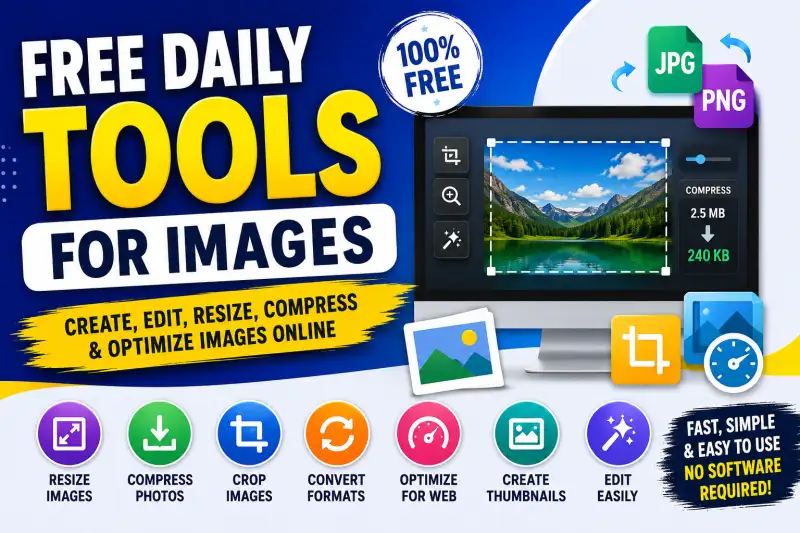
- Free Daily Tools for Images: Create, Edit, Resize, Compress & Optimize Images Online
- Why Free Image Tools Are Useful Every Day
- Free Image Resizer
- Free Image Compressor
- Free JPG and PNG Converter
- Free Image Cropper
- Image Optimizer for Websites
- Free Thumbnail Maker
- Free Image Tools for Bloggers
- Free Image Tools for Social Media
- Free Image Tools for Students
- Free Daily Image Tools Without Complicated Software
- What Makes a Good Free Image Tool?
- Build Your Own Daily Image Toolkit
- Free Image Tools Can Save Time
- Final Thoughts
Free Daily Tools for Images: Create, Edit, Resize, Compress & Optimize Images Online
Images have become an important part of almost everything we do online. Whether you are running a website, writing a blog, managing social media, creating YouTube thumbnails, preparing a product listing, or simply editing a personal photo, you often need a quick image tool.
The good news is that you do not always need Photoshop or expensive editing software for basic image tasks. There are plenty of free online image tools that can help you complete everyday image-related work directly from your browser.
From image resizing and image compression to cropping, converting, optimizing and creating images, free tools can save both time and storage space.
If you regularly work with images, having a collection of free daily image tools can make your workflow much easier.
Why Free Image Tools Are Useful Every Day
Not everyone needs advanced professional photo-editing software. Sometimes you only need to reduce an image from 2 MB to 300 KB, change its dimensions, convert PNG to JPG, or crop unwanted parts.
Installing large software for such small tasks can feel unnecessary.
This is where online image tools become useful.
Most browser-based tools are designed for quick tasks. You upload an image, select the required option, process it and download the result.
For bloggers, students, website owners, designers, social media managers and small businesses, these tools can be extremely convenient.
Some of the most useful daily image tasks include:
- Resizing images
- Compressing photos
- Cropping images
- Converting image formats
- Optimizing images for websites
- Changing image dimensions
- Creating thumbnails
- Reducing image file size
- Converting JPEG to PNG
- Converting PNG to JPG
- Creating social media images
- Improving basic image quality
Free resize image
One of the most commonly needed image tools is an image resizer.
Different platforms require different image dimensions. A website may need a particular thumbnail size, while Instagram, Facebook, YouTube and other platforms can have their own recommended dimensions.
Instead of opening complicated editing software, you can use a free image resize tool.
Simply upload your image and enter the required width and height. A good image resizer should maintain the aspect ratio when necessary so that the image does not look stretched.
This is particularly useful for website images, blog thumbnails, profile pictures, banners and social media posts.
Free compress image
Large images can slow down websites and consume unnecessary storage.
An image compressor reduces the file size while attempting to maintain acceptable visual quality.
For website owners and bloggers, image compression is especially important because page speed can affect the overall user experience.
For example, if a website contains several large 3–5 MB photographs on one page, visitors may have to wait longer for the page to load. Compressing those images before uploading them can make the website lighter.
A free image compressor online can therefore be one of the most useful daily tools for website management.
Free JPG and PNG Converter
Different image formats have different purposes.
JPG is commonly used for photographs because it can provide relatively small file sizes. PNG is useful when you need features such as transparency or when maintaining certain types of image detail is important.
Sometimes you receive an image in the wrong format and need to convert it.
A JPG to PNG converter or PNG to JPG converter can handle this quickly.
You do not need to install additional software for a simple conversion. A browser-based image converter can be enough for everyday requirements.
Free Image Cropper
Cropping is another simple task that people perform frequently.
Maybe you want to remove unwanted objects around the edges of a photograph, create a square profile picture, or prepare a thumbnail for a blog post.
A free image cropper lets you select the required portion of the image and remove the rest.
This is particularly helpful when preparing images for social media platforms, websites, blogs and online stores.
Image Optimizer for Websites
Image optimization is slightly different from basic compression.
The goal of an image optimizer is to prepare an image so that it works efficiently on the web while keeping its appearance as good as possible.
Website owners can use image optimization tools before uploading photographs to their websites.
Optimized images can help reduce unnecessary file sizes and make pages easier to load, particularly for visitors using mobile connections.
If you publish content regularly, making image optimization part of your normal publishing workflow is a smart habit.
Free Thumbnail Maker
A good thumbnail can make content more noticeable.
Whether you are publishing a blog, YouTube video, educational material or social media post, thumbnails provide an immediate visual impression.
A free thumbnail maker can help you create simple thumbnails without requiring professional design knowledge.
You can combine an image with a title, background, basic shapes and other visual elements to create a clean thumbnail.
For bloggers and content creators, this can save a lot of time.
Free Image Tools for Bloggers
Bloggers work with images almost every day.
A typical blog publishing workflow might require you to resize an image, compress it, change its format and create a featured image.
Instead of using several desktop applications, you can use a collection of free online image tools.
For example:
Original image → Resize → Compress → Optimize → Add to blog
This simple workflow can make publishing much faster.
It is also useful to keep image dimensions consistent across your website. Consistent featured images can make category pages and homepage layouts look cleaner.
Free Image Tools for Social Media
Social media creators also need image tools regularly.
Different platforms and content types may require different dimensions. You might need to prepare a square post, a landscape graphic, a vertical image or a story-sized design.
A free image editor online can help with these basic adjustments.
You can resize, crop and optimize your image before uploading it to your social media account.
For someone posting content every day, small time savings can quickly add up.
Free Image Tools for Students
Image tools are not only useful for professional users.
Students can also use them for assignments, presentations, project work and online applications.
For example, an application form may require a photograph below a specific file size. Instead of searching for complicated software, a free photo compressor can reduce the image size.
Similarly, an image resizer can help when a website requires a specific width or height.
These simple tools can make common digital tasks much easier.
Free Daily Image Tools Without Complicated Software
One of the biggest advantages of browser-based image tools is simplicity.
You do not necessarily need to understand layers, brushes, advanced filters or professional editing techniques.
If your requirement is straightforward, a dedicated tool can often do the job faster.
For example:
Need smaller file? Use an image compressor.
Need different dimensions? Use an image resizer.
Need another format? Use an image converter.
Need to remove unwanted edges? Use an image cropper.
Need a website-friendly image? Use an image optimizer.
This approach keeps the workflow simple.
What Makes a Good Free Image Tool?
Not every online tool provides the same experience. When choosing a free image editing tool, look for a few important features.
First, it should be easy to understand. You should not have to spend several minutes figuring out basic controls.
Second, processing should be reasonably fast.
Third, the tool should clearly explain what it does.
File security is also important. Before uploading private or sensitive photographs to any online service, check how the service handles uploaded files.
For everyday public images, simple browser tools can be very convenient.
Build Your Own Daily Image Toolkit
Instead of searching Google every time you need an image-related task, you can create your own list of frequently used tools.
For example, keep shortcuts for:
- Free Image Resizer
- Free Image Compressor
- JPG to PNG Converter
- PNG to JPG Converter
- Image Cropper
- Image Optimizer
- Thumbnail Maker
- Image Dimension Checker
- Photo File Size Reducer
- Image Format Converter
Having these tools together can turn repetitive image work into a much faster process.
Free Image Tools Can Save Time
The biggest benefit of these tools is not simply that they are free. It is the amount of time they can save.
If you manage a website, publish blogs, create social media posts or work with digital documents, you will eventually perform the same image tasks repeatedly.
Using dedicated free image tools online means you can handle those tasks quickly without opening a heavy application every time.
For many users, that is all they need.
Final Thoughts
Images are an essential part of the modern web, but working with them does not have to be complicated.
Whether you need to resize an image, compress a photo, crop a picture, convert JPG to PNG, optimize an image for your website or create a thumbnail, free online image tools can make the process much easier.
The best approach is to keep a small collection of reliable tools that you can access whenever you need them.
For bloggers, students, website owners, social media creators and everyday users, these free daily image tools can become a useful part of their regular digital workflow.
Instead of installing expensive software for every small task, try using the right tool for the specific job. It is faster, simpler and often more than enough for everyday image editing needs.
🔥 Useful Tools for You
free image tools, free online image tools, image tools online, free image editor, free image resizer, image compressor, free image compressor, image optimizer, free image optimizer, image cropper, free image cropper, JPG to PNG converter, PNG to JPG converter, image converter online, free photo editing tools, online image editor, image resize tool, image compression tool, reduce image size, photo compressor, free thumbnail maker, online photo tools, image optimization tools, free daily tools, image editing tools, free photo tools, image size reducer, online image converter, website image optimizer, free tools for ima
